


Most business owners discover that hackers have hacked their WordPress site in humiliating ways. Not “humiliating for the hacker”, the hard truth is humiliating for them. The moment a customer forwards you a screenshot, your staff shifts straight into panic mode, and you can feel the stress spike instantly. Meanwhile, a pharmacy site redirects visitors while they try to book services. The first question: how long has this been happening?
What Attackers Are Actually Doing While You Look Away
Most victims of hacked WordPress sites remain unaware the entire time, while attackers continue to abuse your site by running phishing scams. Meanwhile, WordPress powers over 43% of the internet, and attackers simply never pause. In fact, bots hammer millions of sites every single hour without slowing down. If your site shows any vulnerability, it’s already on their radar; act immediately.
Get a free WordPress security audit from WPAegis. As a result, we’ll check your site for malware, outdated software, and open vulnerabilities. In short, we find out precisely what’s happening. Claim your free audit now.
Table Of Content
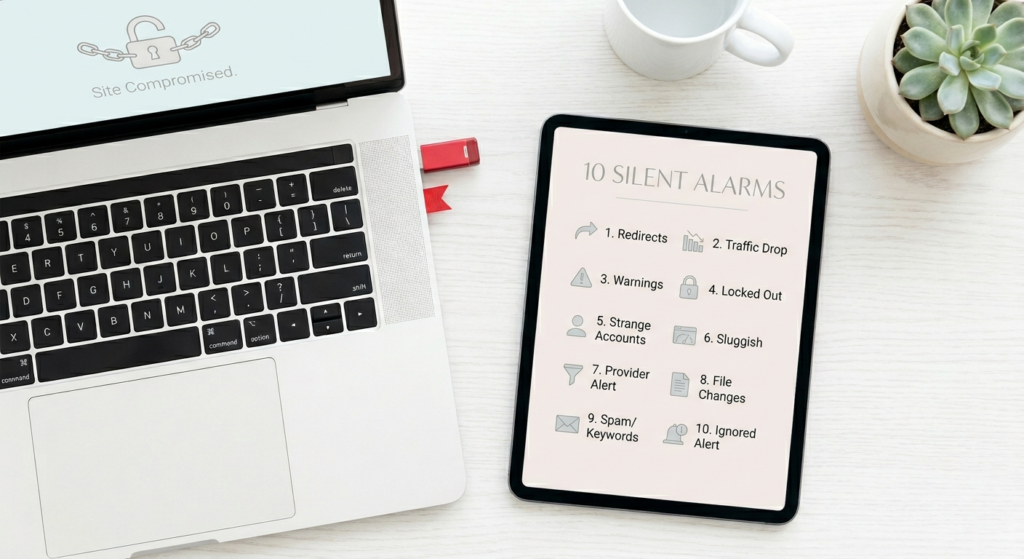
1. Hacked WordPress site 10 Silent Alarms Your Site Is Already Compromised
2. What Attackers Are Actually Doing While You Look Away
3. Ten Ways Your Site Tells You It’s Already Broken Into (You Just Haven’t Connected the Dots Yet)
3.1 Your Visitors Are Getting Sent Somewhere They Didn’t Ask to Go
3.2 Your Google Traffic Fell Off a Cliff for No Clear Reason
3.3 Google or the Browser Is Throwing Up a Red Warning Page
3.4 The Attacker Locked You Out of WordPress Completely
3.5 Strange Admin Accounts
3.6 Your Site Got Noticeably Slower, and Nothing Changed on Your End
3.7 Your Hosting Provider Has Already Flagged You
3.8 Hackers Altered Your Core or Plugin Files
3.9 Spam Pages or Foreign Language Keywords Are Showing Up in Google
3.10 Your Security Plugin Has Been Alerting You, and You’ve Been Ignoring It
4. The Real-World Numbers Behind Hacked WordPress Site
5. What It Actually Costs When You Ignore the Warning Signs
6. How WPAegis Handles This Differently
7. Frequently Asked Questions
Ten Ways Your Site Tells You It’s Already Broken
A hacked WordPress site rarely announces itself with sirens; it announces with mild to moderate security issues. A small traffic dip you blame on seasonality. A weird admin user you assume was created by a plugin you installed six months ago. A sluggish load time that’s easy to write off as a hosting hiccup. Attackers want you to brush these things aside because every day you don’t investigate is another day they keep siphoning your reputation, your search rankings, and sometimes your visitors. The ten signs below aren’t random glitches but the actual red flags.
Sign #1: Your Visitors Are Getting Sent Somewhere They Didn’t Ask to Go
When you check your homepage, everything appears to be working normally, but a customer tells you they keep landing on a gambling site; that’s a big sign that your WordPress site is hacked. However, redirect hacks deliberately spare logged-in users and hit cold visitors hard, so you remain unaware while the mess quietly escalates. Hackers design redirect hacks to avoid logged-in or recent visitors, targeting cold visitors to maximize exposure and keep you unaware.
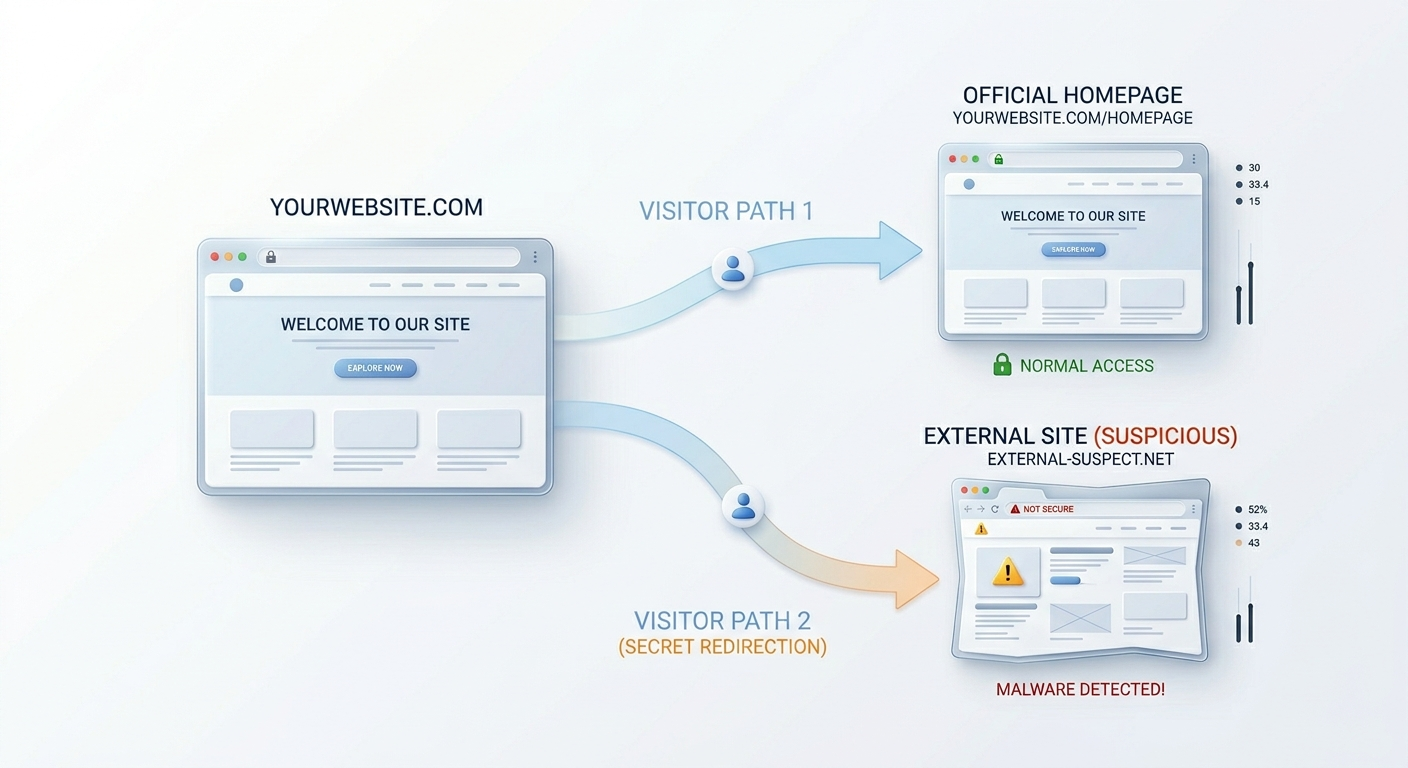
But here’s the catch: Next, open your .htaccess, functions.php, and header.php files in your active theme. Look for unusual encoded text or unfamiliar external URLs. After checking, load your site in an incognito window using mobile data. Most importantly, compare your findings to how visitors experience your site. If you see changes, document them and prepare to clean or seek help.
Sign #2: Your Google Traffic Fell Off a Cliff for No Clear Reason
A sharp, unexplained drop in organic traffic is an urgent alarm because attackers inject spam pages, keyword-stuff, or cloaked content, and Google will punish your rankings quickly. When visitors see “This site may be hacked,” they bounce, because they assume an attacker controls it, and your brand’s reputation suffers instantly.
Sign #3: Google or the Browser Is Throwing Up a Red Warning Page
Once Google blacklists your domain, visitors run into a glaring red warning page the moment they try to visit. Almost everyone will leave, instantly damaging your credibility. This alert goes up because Google has confirmed malicious activity. Act immediately; delay worsens the fallout. So here’s what you do right now: Check your domain at Google’s Transparency Report and review Security Issues in Search Console. Get rid of everything the attacker left behind, ask Google to take a fresh look, and make sure the security flag is gone before you relax.
Use Google Search Console or manually search your domain to find these kinds of security issues. When you spot odd links or language you didn’t add, identify the compromised pages before you do anything else. Unsure if your site is redirecting? WPAegis offers a free security check.
Sign #4: The Attacker Locked You Out of WordPress Completely
Password mistakes happen, but if your reset email never arrives or the account is gone, you’re already dealing with a hacked WordPress site. Often, attackers who hijack admin access might delete your account to stay hidden longer. Act now, access phpMyAdmin, check wp_users, and create a new admin account. On top of that, investigate entry points and seal them before you resume business.
Sign #5: Strange Admin Accounts
You log in and see an administrator-level account you didn’t create just because the attackers made admin accounts so they can return freely, even after you fix the breach.
First, delete any admin accounts you didn’t create the moment you spot them. Then, scrutinize your logs and plugin history to pinpoint the weaknesses the attacker exploited. Address issues immediately before closing out. Delay gives attackers more time to damage your site.
WPAegis monitors admin accounts in real time as part of every care plan. Take a look at what you get in each plan.
Sign #6: Your Site Got Noticeably Slower, and Nothing Changed on Your End
A case in point is that two seconds to load turns into eight; however, you didn’t change anything. That sudden, unexplained slowdown can signal a hosting glitch, but it’s also a hallmark of server exploitation. Think of it like someone subleasing your office without you knowing. They’re using your equipment, electricity, and internet. You’re paying for all these resources, unaware of their actions. That’s exactly what happens when attackers exploit compromised WordPress sites for spam campaigns, proxy traffic, and cryptocurrency mining, consuming your server’s CPU and memory at your expense. All the while, ask your hosting provider to pull resource graphs now. Then, pinpoint the exact moment of the spike in your WordPress error logs and take action before further damage occurs.
Sign #7: Your Hosting Provider Has Already Flagged You
If your hosting provider flags your account, ask what triggered their alert. Request scans or error logs. Let your host’s findings point you straight to the files that have been tampered with. For full malware removal, contact WPAegis and start cleanup from the root cause today, and see what’s more in our care plans that help you to safeguard your WordPress site.
Sign #8: Hackers Altered Your Core or Plugin Files
WordPress has a consistent, predictable file structure. Compare what’s on your server against a clean installation of the same version, and anything that doesn’t belong stands out immediately if you know where to look. This matters because attackers modify core files such as wp-login.php or bury altered files within legitimate-looking directories.
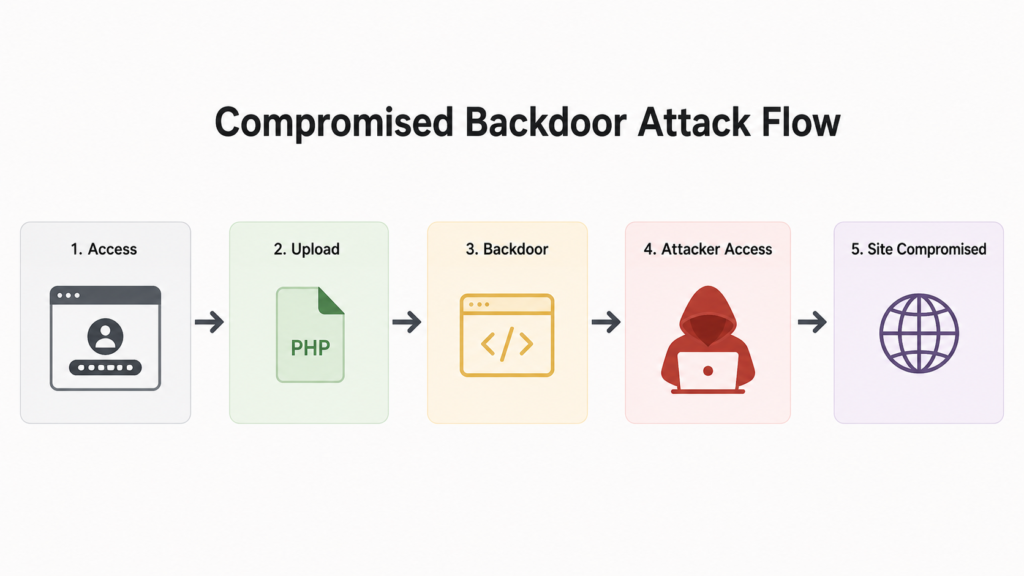
Sometimes, even small changes, one extra line of encoded PHP or a filename off by a single character, can open the door for attackers. Use a file integrity plugin or compare files against WordPress.org checksums now. Investigate all differences immediately; never delete blindly. Each minute wasted risks new backdoors or further exploitation.
Sign #9: Spam Pages or Foreign Language Keywords Are Showing Up in Google
This stays hidden from logged-in admins because attackers inject junk keywords and fake pages, showing them exclusively to Googlebot and unauthenticated visitors. Most importantly, if you find unwanted pages or foreign keywords, identify affected database entries immediately and check and remove them.
SEO spam injections damage your domain’s reputation. WPAegis finds and removes them through ongoing monitoring. Want protection and cleanup?
Sign #10: Your Security Plugin Has Been Alerting You, and You’ve Been Ignoring It
Check alerts from your security plugin; don’t ignore warnings about strange logins or file modifications; write them down and investigate. Many site owners ignore plugin notifications; that’s a mistake, so run a malware scan today to know where you stand. And if you’d rather have someone else do the watching, WPAegis care plans cover maintenance and security for one flat monthly rate. → View Care Plans & Pricing
The Real-World Numbers Behind Hacked WordPress Site:
WordPress hacks aren’t rare or targeted. Attackers rely on relentless automated scripts, not manual selection.
| Malicious Redirects | 52% | 4–6 weeks | No — skips logged-in users |
| SEO Spam Injection | 41% | 6–8 weeks | No — only visible to crawlers |
| Backdoor Files | 71% | Often, never without active scanning | No |
| Admin Account Takeover | 28% | Days to weeks | Only after the lockout |
| Cryptomining Scripts | 18% | 2–4 weeks via slowdown | Rarely |
Backdoor files sitting on 71% of compromised sites should tell you something important: cleaning what you can see is not the same as cleaning the site. Already dealing with a compromised site? WPAegis provides professional malware removal with a focus on finding the root cause, not just cleaning the surface.
What It Actually Costs When You Ignore the Warning Signs
Here’s the version of this story that plays out over and over agahttps://wpaegis.com/services/malware-removal/in: a business owner notices something feels off with their site, figures it’ll sort itself out, and moves on. Six weeks later, Google has blacklisted the domain. All the while, customers have been landing on phishing pages, and as a result of this, your host has suspended the account. As a result, the cleanup bill alone is several times what a full year of proactive maintenance would’ve cost.
Search rankings that took years to build disappear in a matter of weeks. For businesses that depend on their site for leads or sales, even a few days of compromised or suspended service hits the bottom line directly.
| Emergency malware removal | $200–$500 | 1–3 days | Possible data loss, rankings hit |
| Google blacklist removal | $300–$1,000+ | 2–4 weeks | Lost organic traffic, brand damage |
| Full recovery after a serious breach | $500–$2,000+ | Weeks to months | Customer trust takes a long hit |
| Proactive monthly maintenance plan | $50–$150/month | N/A | Stable rankings, clean reputation |
| Annual proactive cost (full year) | ~$600–$1,800 | N/A | A fraction of the cost of one breach |
How WPAegis Handles This Differently
The people behind WPAegis built it after cleaning up hundreds of WordPress compromises, exhausted by watching preventable situations cause real damage to real businesses. In fact, every care plan includes tested, off-site backups that run on a schedule and restore quickly when needed. Real-time uptime monitoring catches issues before they turn into incidents. However, our regular malware scanning finds infections before Google does. We treat each update like a small deployment: test first, watch for compatibility issues, and never hit “apply” without a real person confirming it’s safe.
Additionally, actual WordPress security expertise sits behind every account, not just automated tooling with no human reviewing the results. The goal isn’t to fix things faster after they break. Your website is a real business asset, and WPAegis protects it the way it deserves with the Free Audit Service.
Frequently Asked Questions
Glitches have a traceable cause, but a hack doesn’t have a clear explanation. If your site is redirecting to external URLs, showing content you never wrote, locking you out of an account, or your hosting provider detected unusual activity, that’s not a glitch. Run a malware scan on your active files and database, and check the Security Issues tab in Google Search Console. Should either return a finding, you’re dealing with a compromise.
You can remove what’s visible on your own if you’re comfortable working inside server files and databases. However, malware is not always visible; attackers plant backdoors inside files that look completely normal, specifically so their access survives a basic cleanup. Professional cleanup focuses on the entry point and the persistence mechanism, not just what’s immediately obvious. For most business owners, getting professional help is faster and far more reliable.
After you’ve cleaned the site and submitted a review request through Search Console, Google’s review typically takes anywhere from a few days to a couple of weeks. Before they pull the warning, Google’s bots revisit your domain and confirm that the flagged stuff no longer exists; nothing gets lifted until that check passes. The warning doesn’t disappear automatically; you have to actively request the review. This is one of the biggest reasons catching a compromise early matters so much: the sooner you act, the less likely Google is to associate your domain with spam content in the long term.
Leave a Reply