


Most website owners don’t start looking for WordPress support service providers until a checkout page stops working, or worse, customers discover the problem before you do. Managing a WordPress site is not just about publishing content, but it’s a complete ecosystem: core + theme + plugins + hosting + DNS + caching + payment gateways + email deliverability. Any one of those can take your site down or worse, keep it “up” while silently breaking conversions.
And yes, scale makes you a bigger target because WordPress powers over 50% of the web, so the challenge isn’t simply finding WordPress maintenance and support service providers that can run plugin updates, but it’s finding a team that ensures your site stays reliable, secure, and fully optimized as your business expands.
Table of Contents
- Top WordPress Support Service Providers for 2026
- The Benefits of Using Premium WordPress Support Service
- The Importance of WordPress Maintenance Services
- What good maintenance actually looks like (step-by-step)
- Top Premium WordPress Support Services in 2026
- WP Buffs
- WP Tech Support
- Why More Businesses Are Choosing WPAegis Over Traditional WordPress Support Service Providers
- Q&A:
The Benefits of Using Premium WordPress Support Service
- Expertise and Experience: WordPress maintenance and support services bring a team of experienced professionals who understand database issues, stuck cron jobs, and mixed content warnings.
- Time-Saving: If your site is tied to revenue, your job isn’t “learn why wp_options autoload is 800MB.” Your job is to ship your product, publish your content, or run the business. One nasty conflict between WooCommerce and a payment plugin can chew up a full day.
- Comprehensive Services: The good WordPress maintenance and support service providers aren’t just doing updates; in fact, they’re doing updates with a WordPress backup Solution, uptime monitoring, security scanning, performance checks, and a process for rolling back when an update goes sideways.
- Emergency Support: DIY WordPress maintenance rarely includes a plan for “what if the site is down right now.” Many premium WordPress maintenance agencies prioritize incidents because after that, they start working on why this happened and try to tackle that issue.
- Engaging web maintenance services doesn’t magically prevent every break, but it reduces the blast radius: staging updates, rollback plans, monitoring that catches conversion drops, and someone to fix it fast.
Common mistakes I see when people skip premium WordPress maintenance services
- No tested backups.
- Updates on production.
- Too many overlapping plugins.
- No ownership of DNS/hosting access.
The Importance of WordPress Maintenance Services
Too many site owners treat launch day as the finish line, but in reality, the plugins need upgradation, and PHP versions roll forward. Browsers change. Payment gateways tighten their requirements. And attackers? They never wait for an invitation. Without consistent WordPress website maintenance services, you’re leaving all of that unattended.
Without proper WordPress site maintenance, there were 7,966 new vulnerabilities identified in the WordPress ecosystem in 2024, primarily stemming from third-party plugins, a 34% increase compared to previous years.
That number isn’t just ordinary stats; it’s the landscape every neglected site sits in, running old plugin versions “because updating might break something.” It’s exactly why ongoing WordPress site maintenance exists to replace fear with stability.
What good maintenance actually looks like (step-by-step)
This is the routine I like because it prevents the most pain:
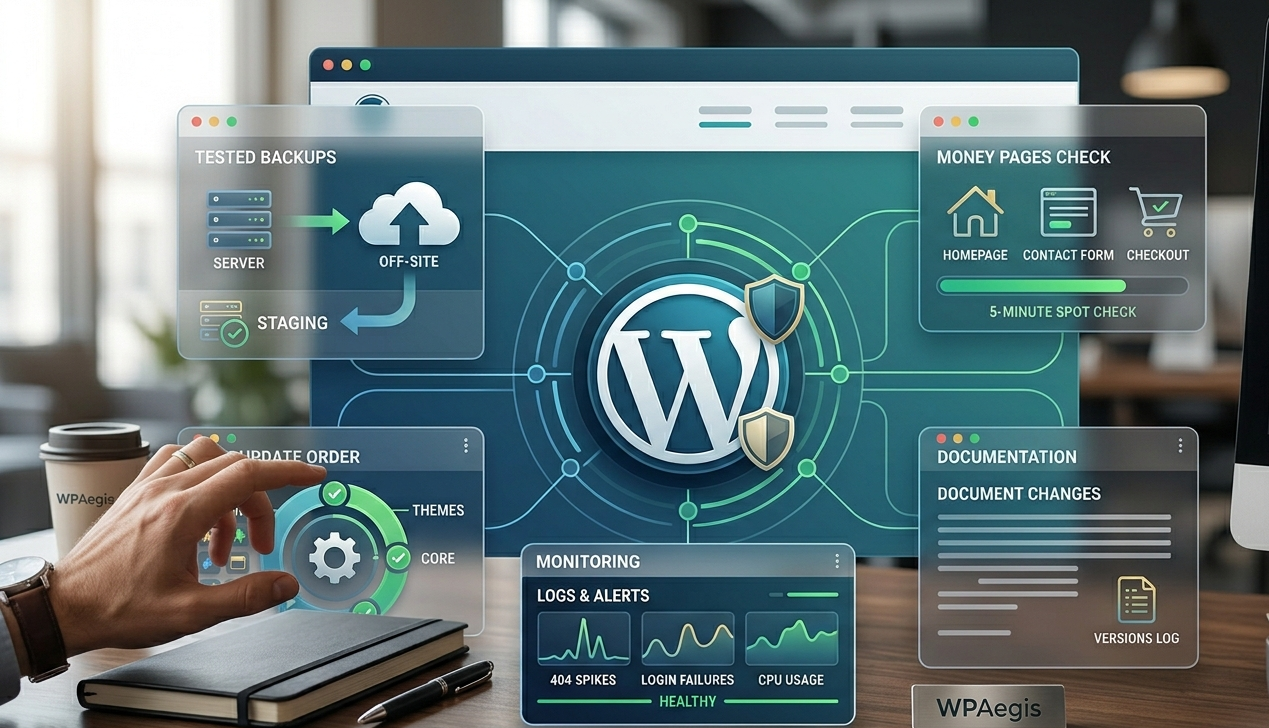
- Take a backup you’ve tested before: If you’ve never restored a backup to staging, you don’t know if it’s real.
- Update in a safe order: Smaller plugins first, then larger ones, then theme, then core, watching the site after each batch.
- Check money pages: Homepage, contact form, checkout/cart, top landing pages. A five-minute spot check catches 80% of disasters.
- Scan logs/alerts: spikes in 404s, login failures, CPU usage. Issues show up there before a customer emails you.
- Document what changed: So troubleshooting isn’t guesswork next time.
A mistake I see constantly
People assume “auto-updates” equals “maintenance,” and auto-updates are fine for a simple brochure site. On anything with WooCommerce, memberships, bookings, multilingual plugins, custom code, or ad spend, blind updates are how you end up with a broken checkout at 9 PM on a Sunday.
I’ve seen the ugly version: a business owner updates five plugins at once, something conflicts, the site white-screens, and now we’re debugging without a clean change log. They end up spending more on emergency recovery than a full year of preventative WordPress website maintenance services would have cost. Maintenance is essentially insurance, but it’s also performance work and operational discipline. Done right, it keeps problems from ever getting big.
Top Premium WordPress Support Services in 2026
I’m keeping this practical: what these WordPress website maintenance services excel at, where they’ll get on your nerves, and which type of site owner tends to be happiest with them.
1. WP Buffs
WP Buffs has built a strong reputation as a managed WordPress maintenance and support service provider. Their offering tends to feel “all-in-one”: ongoing updates, monitoring, and support wrapped into a monthly plan.
Key Features:
- 24/7 support
- Excellent customer service
- A wide range of services, including performance monitoring and security checks
Pros:
- A process that works for non-technical site owners (that matters more than people admit)
- Strong emphasis on customer satisfaction with high-rated reviews
Cons:
- Every plan comes with a hefty price tag, yet the support you get in return feels surprisingly bare-bones.
- Limited emergency support hours can be a downside for critical sites.
Pricing: Starting at $89/month with subscription-based plans.
2. WP Tech Support
Overview: WP Tech Support is positioned more toward hands-on fixes and emergency troubleshooting. This is the WordPress management service you reach for when you hit a sudden problem, operate a complex setup, or are tired of settling for help that doesn’t specialize.
Key Features:
- Rapid response times
- Over 40+ WordPress experts on-call
- Guaranteed performance improvements
Pros:
- Strong technical focus is useful when the site is customized or fragile
- Transparent pricing structure
Cons:
- Services may be limited for smaller sites or businesses.
- Emergency support can be costly on a per-issue basis.
Pricing: Pricing lies between $ 50 and $ 300.
Best for: High-traffic websites, membership sites, custom WooCommerce builds, and cases where you need WordPress website maintenance services that deliver fast, focused problem-solving.
Common mistake with emergency support: You wait too long and keep clicking around in wp-admin while the site is broken. I’ve watched folks delete plugins, switch themes, and half-restore backups until the problem becomes untraceable. When you bring in a pro, give them a clean timeline and stop thrashing.
Why More Businesses Are Choosing WPAegis Over Traditional WordPress Support Service Providers
After looking at various WordPress Support Service Providers, you’ll probably notice something interesting: most companies sell maintenance, but very few sell accountability. That’s an important distinction because updating plugins isn’t hard, but running backups and setting up uptime monitoring takes a few minutes. I’ve seen website owners pay for “maintenance” for months, only to discover that nobody was actually paying attention. The site was technically being updated, but its performance was quietly deteriorating.
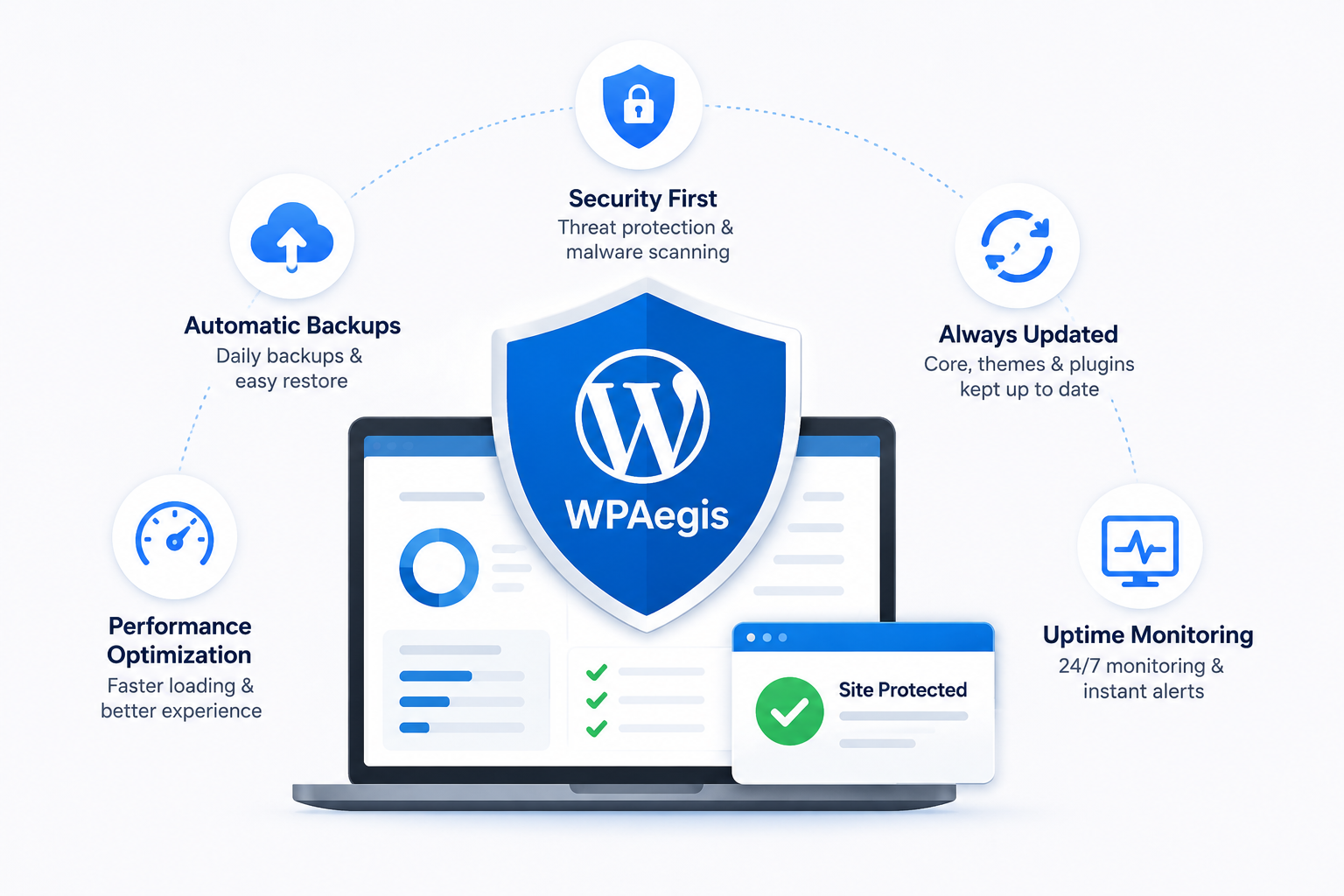
At WPAegis, WordPress website maintenance services aren’t delivered as a generic checklist; in fact, we follow a different approach that prioritizes your site, continuously generates leads, processes sales, and supports your business without missing a beat.
A slow WooCommerce checkout isn’t just a technical annoyance; it’s revenue leaking away. A broken contact form isn’t just a glitch; it’s lost leads you can’t get back. These aren’t imaginary risks; they’re precisely why proper WordPress website maintenance services are an investment that pays for itself. WPAegis puts your clients’ trust at the very front of the line because safeguarding that trust comes before everything else. The biggest benefit isn’t even technical; it’s peace of mind.
For business owners, agencies, membership sites, and WooCommerce stores, that difference becomes crystal clear very quickly.
Mini story: the “midnight restore” scenario
One client called after midnight with a clear security incident: strange admin users, suspicious redirects. We were notified at midnight and had the site secured and restored by 2 AM.
Two things made that possible:
- Recent backups (and a restoration process we’d already tested).
- A known baseline of what plugins and files should exist.
If your WordPress site matters to your income, premium support is a stability purchase, not a fancy add-on. In 2026, the web is too competitive (and too automated on the attack side) to run a business site on hope and occasional updates. If your site is revenue-critical, choose our pro plan and book an onboarding call this week. Contact Us and select your WordPressCare plan now if you’re ready to hand off the maintenance burden and get back to running the business.
FAQs:
Ans: You keep a WordPress site running smoothly by reducing unknowns: fewer surprise updates, fewer plugin conflicts, fewer performance regressions, and fewer “I guess it’s fine” assumptions.
A practical step-by-step routine that works (even if you’re not technical):
Pick a maintenance window (weekly or biweekly). Don’t update randomly in the middle of a workday.
Backup first, every time.
Update in this order: plugins → theme → WordPress core (unless there’s a critical security patch).
Test your money pages:
Submit your main form
Check checkout/cart (if WooCommerce)
Test search and login
Click around on mobile
Watch for errors in the hour after updates (uptime monitoring helps here).
Do a monthly cleanup: remove unused plugins/themes, clear spam, optimize database.
Ans: Response time standards vary by provider, but if your site generates revenue, anything beyond two hours for an active incident is too slow. A genuine WordPress management service with emergency protocols should acknowledge critical issues within minutes and have active remediation underway within the hour. What matters just as much as speed with fast response means very little if the provider has to start from scratch, figuring out your site’s setup. WordPress maintenance agencies that document your environment, maintain recent backups, and know your plugin stack before an emergency hits are the ones who can actually resolve things in two hours versus twelve.
Ans: For a simple brochure site with no customizations and minimal plugins, auto-updates are probably fine. For anything beyond that, and especially for WooCommerce stores, membership sites, booking platforms, or sites with custom code, auto-updates are a liability, not a solution. If you’re running auto-updates on production with no staging environment, no backup verification, and no monitoring, you’re essentially rolling the dice after every release cycle. One bad conflict between a payment gateway plugin and WooCommerce can take down the checkout silently; your site looks “up,” but nothing is completing. Real WordPress support service means controlled updates, tested environments, and someone watching what happens after.



Leave a Reply