


Something breaks, and suddenly security becomes the most important topic in the room because most WordPress site owners don’t care about security until something has already gone wrong. It happens when rankings drop overnight, when a client calls confused about where their site went, or when Google decides your homepage is now flagged as malware. It’s remarkably consistent, and it’s almost entirely preventable if you have the right WordPress security service in place before an incident, not while you’re scrambling to find one during it.
Here’s what makes it worse: in 2025, WordPress logged over 11,000 new vulnerabilities, and the bulk of them weren’t in core. This guide is written for site owners and administrators who want straightforward, practical answers: what a WordPress security service actually delivers, how to evaluate your options without drowning in feature lists, and what a qualified WordPress security expert would configure on a real site.
What a Security Service Should Actually Do
If I strip away the marketing language, a proper WordPress security service should accomplish five specific jobs:
- Reduce attack surface.
- Detect compromise quickly.
- Contains damage.
- Recover fast.
- Prevent repeat incidents.
Current Trends in WordPress Security (2026)
A few trends are worth paying close attention to because they change what “good security” actually looks like in practice.
Rising threats, especially password attacks:
In 2025, Wordfence blocked over 55 billion password attack attempts. That number sounds absurd until you watch your own server logs for a single day. If your security plan doesn’t include rate limiting, bot protection, and strong authentication requirements, you’re effectively leaving the front door open.
Automation is now table stakes:
Auto-updates, scheduled scans, and automated WAF rules are becoming standard because the window between vulnerability disclosure and active exploitation can be dangerously short. When people ask how fast they need to patch, my honest answer is: as fast as your change process can safely allow.
User education is finally getting serious:
I’m seeing more services built in plain-language alerts, non-technical checklists, and guardrails like enforced MFA. This matters because a significant portion of breaches still begin with a compromised admin password, not an exotic zero-day exploit.
Evaluating WordPress Security Services
If you only remember one thing from this section, remember this: the best WordPress security service is the one that fits your operational reality.
A service can be technically excellent and still be wrong for you if it’s too complex to run, too noisy, or too heavy on performance.
My evaluation checklist
Here’s what I look at when I’m vetting a security service for a client site.
- Coverage: Does it protect the whole path?
- Edge/WAF protection (blocks bad traffic early)
- Application-level hardening (login rules, file change detection)
- Malware detection + remediation (not just “we found malware”)
- Monitoring + alerting you’ll actually read
- Response: What happens when you are compromised?
- Is cleanup included?
- What’s the realistic response time, hours or days?
- Do they do root-cause analysis, or do they just “clean” and leave the vulnerable plugin in place?
- False positives + alert quality
- If the tool pages you for every harmless 404, you’ll ignore the real warning later.
- I want actionable alerts: what happened, when, where, and what to do next.
- Performance impact
- Some plugins add noticeable overhead, especially on shared hosting.
- Edge/WAF solutions usually win here because they filter traffic before PHP even runs.
- Change control and logging.
- Can you see who changed what and when?
- Can you export logs if you need them for an incident review?
- Scalability (without surprise bills)
- If your traffic spikes, does the service degrade gracefully?
- Are you going to get throttled right when you need protection the most?
A step-by-step way to compare services
When I’m doing an apples-to-apples comparison, I run a short “evaluation sprint.” It takes a couple of hours, not weeks.
- List your non-negotiables
- List the essentials you need, like malware cleanup, backups, etc.
- List the essentials you need, like malware cleanup, backups, etc.
- Inventory your WordPress risk points
- Number of plugins and themes
- Who has admin access?
- Any must-have plugins that are historically risky (page builders, old sliders, abandoned addons)
- Check how updates are handled.
- Do you run auto-updates?
- Does the service help you detect breaking changes?
- Test the alerting
- Configure alerts to a real channel you use
- Trigger a known event (failed logins, file change) and see if the alert is readable.
- Read the “cleanup” fine print
- Cleanup included? How many incidents?
- Is reinfection protection included?
- Will they remove vulnerable plugins or just “recommend” them?
- Decide who owns what
- If you expect the service to patch plugins for you, confirm that.
- If you’ll manage updates, confirm the service won’t block or complicate deployments.
This process forces clarity. Most people skip it, buy based on a blog list, and only discover gaps during an incident.
Common Mistakes I See When People “Evaluate” Security
A few patterns come up consistently:
- Buying based on features instead of outcomes. “It has 47 tools” isn’t a win if none of them reduce time-to-recovery when it counts.
- Ignoring backups because “the host does it.” Maybe. But are they daily? Are they restorable in minutes? Have you ever tested a restore under realistic conditions?
- Assuming a WAF means you’re fully safe. A WAF helps significantly, but it won’t fix an infected plugin already sitting on disk.
- Not budgeting for cleanup. The cheapest plan often excludes the precise service you’ll need most during an incident.
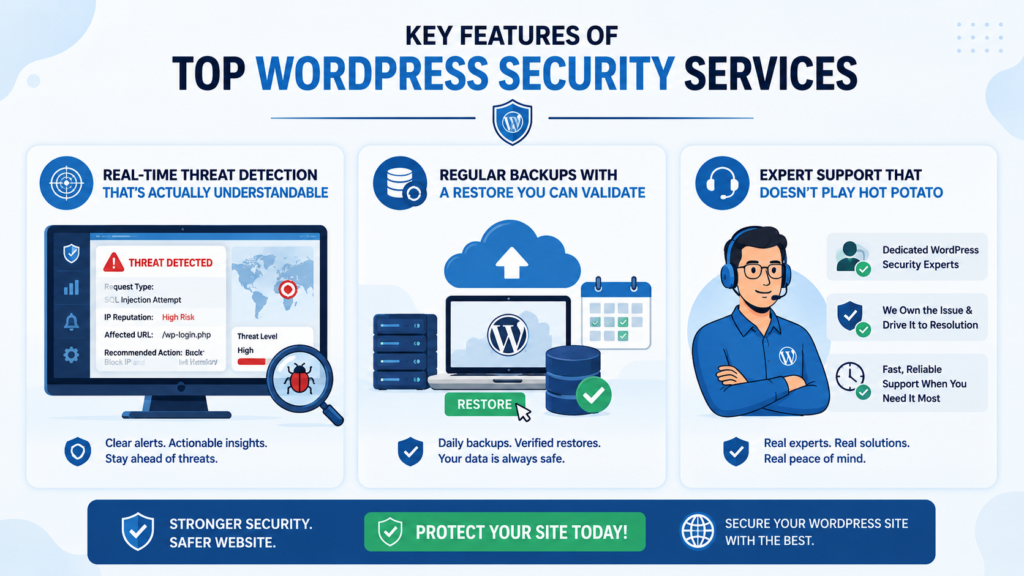
Key Features of Top WordPress Security Services
Real-time threat detection that’s actually understandable
If the alert says only “Suspicious request blocked,” that’s useless. I want the request type, IP reputation context, the affected URL, and the recommended next action, not a generic notification that creates anxiety without direction.
Regular backups with a restore you can validate
Backups are only real if you can restore them quickly and reliably under pressure. I want at least daily backups for low-change sites and more frequent snapshots for stores or membership platforms where data changes continuously.
Expert support that doesn’t play hot potato
When something breaks, you don’t want three vendors pointing fingers at each other: host versus plugin vendor versus security provider. The best services own the incident and drive it to resolution. A dedicated WordPress security expert who understands your specific setup is genuinely worth paying for, because the alternative is you troubleshooting alone at the worst possible time.
What Wpaegis Handles, So You Don’t Have To
Whether you need to check if your WordPress site is hacked or you already know it is and need someone to fix it fast, response time is everything. WPAegis provides 24/7 security monitoring, rapid malware removal, and proactive threat detection as part of its fully managed WordPress maintenance services.
Their security stack covers every critical layer:
- Advanced Security Monitoring — 24/7 protection with SSL checking and proactive breach detection
- Fast Malware Cleanup — immediate detection and removal without additional software purchases
- Secure Daily Backups — automated offsite backups so you always have a verified, clean restore point
- Secure WordPress Updates — fully managed core, plugin, and theme updates with zero-downtime deployment
Beyond security, Wpaegis is a comprehensive WordPress maintenance solution covering performance optimization, SEO support, and site health reporting in one fully managed plan. Their team acts before problems surface, not after.
Best Practices for Securing Your WordPress Site
A WordPress security service can’t fully compensate for an install that’s treated like a junk drawer. You’ll still need to maintain basic hygiene, and yes, most of it is genuinely boring work.
1) Keep WordPress Core, Themes, and Plugins Updated (But Do It Like an Adult)
Outdated software is still the most common and most avoidable entry point for attackers.
The rule I follow:
- Security updates: apply as fast as your process safely allows.
- Feature updates: apply after a quick staging test.
The important part is having a repeatable, consistent process, not just good intentions.
Step-by-step update routine (30–60 minutes weekly for most sites):
- Check what changed; review release notes where they’re available.
- Update on staging first. A real staging environment, not “I’ll just do it live and hope.”
- Click through critical flows: login/logout, contact forms, checkout if e-commerce), and any membership gates.
- Deploy to production.
- Recheck the same flows after deployment.
- Review security logs for anomalies; spikes in blocked requests after an update can indicate new automated vulnerability scans.
The biggest mistake I see repeatedly: people enable auto-updates for everything, break the site badly, then turn off all updates out of frustration. There’s a sensible middle ground: auto-update minor releases and patch security fixes; test major ones on staging first.
Failing to update can expose your site to attacks within hours of a vulnerability being publicly disclosed. I’ve personally watched exploit attempts start the same day a popular plugin vulnerability hit the security news feeds.
2) Stop Treating Passwords Like the Whole Plan, Use MFA and Sane Permissions
Yes, strong passwords matter. However, in 2026, passwords alone are not a serious defense for admin accounts on any site that holds real business value.
What I implement on every site that matters:
- Require MFA for all admin-level accounts, at a minimum.
- Eliminate shared admin credentials; no “admin/admin.”
- Apply the least-privilege model consistently:
- Authors don’t need admin access.
- Shop managers don’t need plugin install rights.
3) Use a Web Application Firewall (WAF) and Rate Limiting
A WAF is one of the highest ROI security controls you can add because it blocks a large volume of junk before it ever touches WordPress.
What I care about in WAF configuration:
- Bot protection with challenge behavior that doesn’t frustrate real human visitors
- Rate limiting is applied specifically to login endpoints
- Rules targeting common WordPress attack patterns, including automated probes for vulnerable plugin paths
This is also where performance often improves rather than worsens because fewer garbage requests ever reach your server in the first place.
4) Make Backups Boring, and Test Restores
I’ll say it plainly: if you’ve never actually restored your backup in a real test, you don’t truly know whether you have working backups.
A practical backup approach:
- Automated backups on a schedule that reflects how often your content or orders actually change
- Offsite storage, not only on the same server that hosts the site
- A monthly restore test to a staging environment
5) Reduce Plugin Risk (This Is Where Most WordPress Security Is Won or Lost)
Consider the earlier statistic: 11,334 new vulnerabilities in 2025, and the majority of them were in third-party plugins. That’s why I hold a firm, consistent position here.
My rules:
- Delete plugins you aren’t actively using. Deactivated is not the same as deleted.
- Avoid abandoned plugins; no updates in a year or more is a serious red flag, not a minor concern.
- Be particularly suspicious of “utility” plugins that touch everything, file managers, database editors, and legacy sliders that nobody maintains anymore.
Fewer plugins aren’t always inherently safer. However, fewer poorly maintained plugins absolutely are.
If you’re genuinely unsure where your plugin risk sits, a WordPress security consultant can audit your install and identify the specific add-ons posing the highest exposure, often in a single focused session.
6) Watch the Signals That Actually Predict Trouble
If you’re running a business site, these are the signals that help you check if your WordPress site is being compromised before a customer or search engine does it for you:
- New admin user accounts are being created without your knowledge
- Plugin or theme installs occurring outside your normal deployment windows
- File changes appearing outside of scheduled deploys
- Sudden shifts in SEO indexing, unexpected spam pages appearing in search results
- Outbound email spikes, which are a reliable sign that your server is being used to send spam
If your security service surfaces these signals with clear, actionable alerts, you’ll catch problems early, consistently before your customers or Google does.
Why This Matters Beyond WordPress
Attackers automate everything. They don’t select targets based on size or industry. They scan everything and exploit whatever gives them access.
Consequently, the real question for most WordPress site owners isn’t “Am I a target?” It’s “how fast can I detect and respond when something inevitably happens?” In 2026, choosing a WordPress security service is fundamentally a buy-or-build decision about response time. You’re either paying with money for a service with monitoring, cleanup, and expert support, or paying with your own time at the worst possible moment.
If your site matters, whether for leads, sales, or hard-earned reputation, pick a service that does more than scan and scare you. What a complete security stack should deliver:
- A WAF that blocks garbage before it reaches WordPress
- Monitoring that detects compromise quickly and clearly
- A reliable process to fix a hacked WordPress site, including genuine root-cause removal
- Backups you can actually restore under pressure without guessing
- A WordPress security expert you can reach when things go sideways unexpectedly
And then you still do the basics: updates with a repeatable process, MFA on all admin accounts, least-privilege permissions, and genuine plugin discipline.
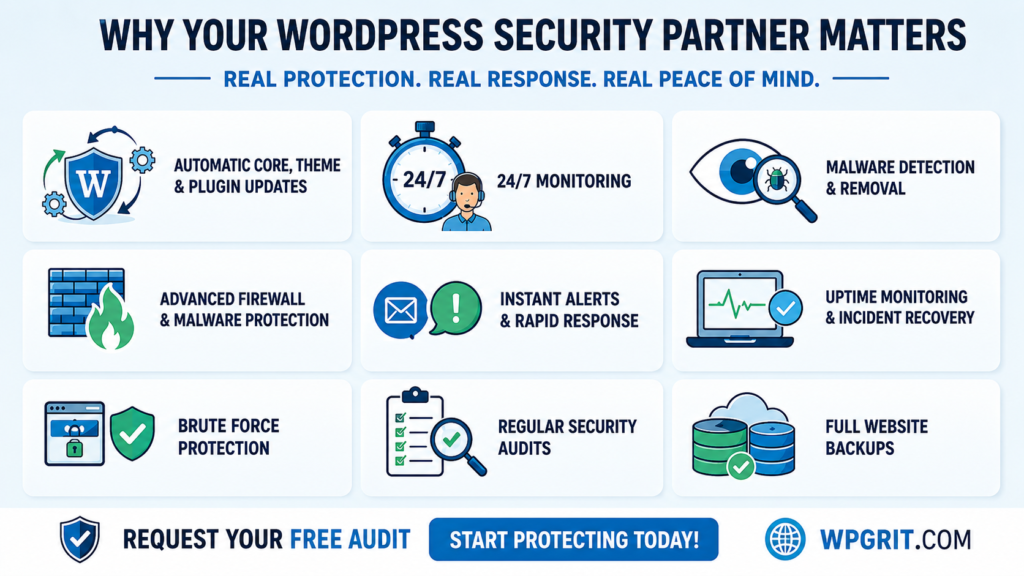
Let WPAegis Be Your WordPress Security Partner
Whether you need someone to continuously monitor your site, check if your WordPress site has been hacked, or fully fix a compromised installation and prevent reinfection, WPAegis handles it all as part of their managed WordPress maintenance services.
Their service stack covers everything a serious WordPress security strategy needs:
- 24/7 security monitoring with SSL checking and vulnerability scans
- Fast malware detection and complete removal
- Secure daily backups with reliable, tested restore capability
- Core, plugin, and theme updates managed safely on schedule
- Performance optimization and SEO support are included in every plan
WPAegis is a WordPress maintenance solution that keeps your site protected, updated, and running cleanly, without you having to manage any of it. Plans start from $62/month.
Request your free site audit today, and find out exactly where your site stands before something else does.
FAQs
Apply security updates as quickly as your change process safely allows. Feature updates should be tested on staging before being pushed to production. A consistent weekly update routine prevents the majority of common exploits from ever gaining a foothold.
Security plugins are a useful layer, but they’re only one part of a complete strategy. They should work alongside a WAF, regularly tested backups, strong authentication policies, and a disciplined update process, not replace any of those components.
Yes, many security measures can be implemented independently. However, a WordPress security consultant or fully managed service becomes genuinely valuable when your site handles sensitive data, processes payments, or simply can’t afford meaningful downtime or reputation damage.

Leave a Reply