


A researcher is testing a plugin. Not maliciously, just curious, poking at the code the way people who do this for a living tend to do. Then something doesn’t behave the way it should. A form accepts input it shouldn’t. A file uploads without checking who’s sending it. And just like that, a flaw that’s been sitting quietly in thousands of live websites for months, maybe years, finally has a name.
That’s usually where the vulnerability damage story starts for the average WordPress site owner too, except most of us find out about it after the fact, when something’s already gone wrong. Learn what actually happens in the part nobody talks about, where a person, system, or factor either prevents the real damage or fails to.
Table of Contents:
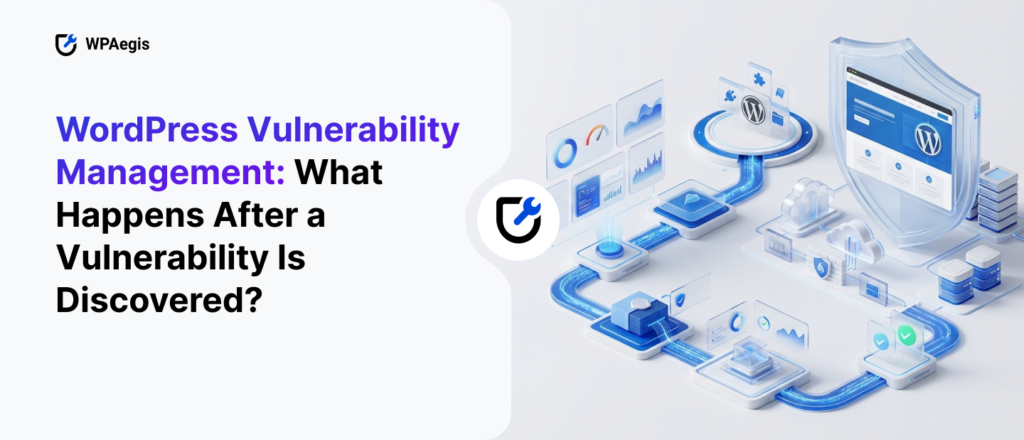
- WordPress Vulnerability Management: What Happens After a Vulnerability Is Discovered?
- Someone Finds It Before You Ever Hear About It
- Why “Patching” Isn’t Enough: Securing Your Site Before the Scanners Arrive
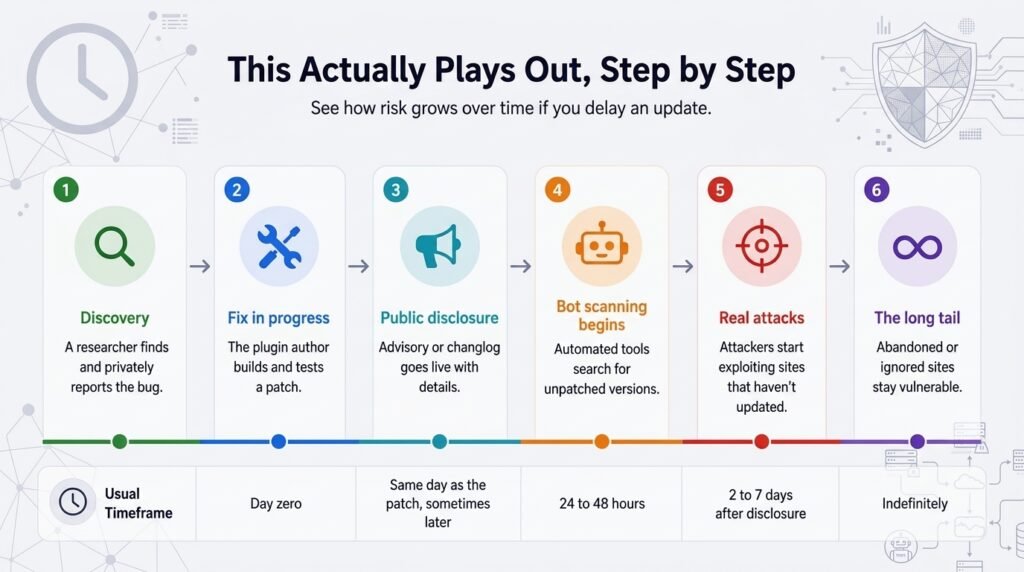
- How This Actually Plays Out, Step by Step
- Why Most People Miss This Entirely
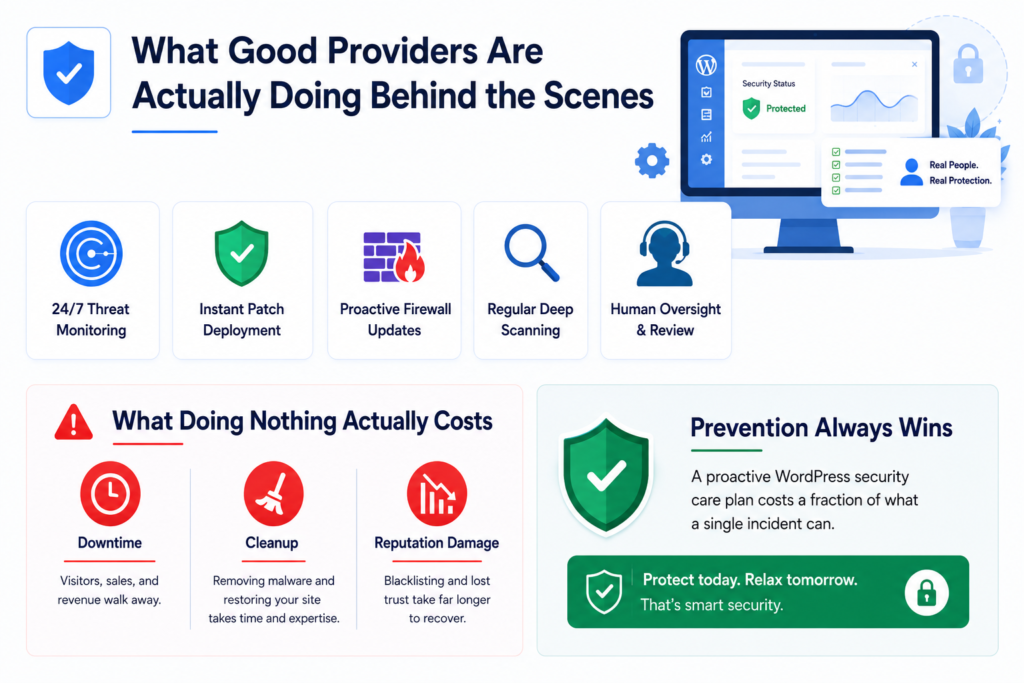
- What Good Providers Are Actually Doing Behind the Scenes
- What Doing Nothing Actually Costs
- Picking a WordPress Security Provider Without Getting Burned
- If Your Site Isn’t Protected Right Now
- Frequently Asked Questions
Someone Finds It Before You Ever Hear About It
Vulnerabilities are rarely dramatic when they’re first discovered. There’s no alarm going off. A researcher confirms the bug works, documents it, and then usually does the right thing: reports it privately to whoever built the plugin or theme, giving them a head start on fixing it before the wider world knows. That’s called responsible disclosure, and honestly, it’s the reason WordPress hasn’t collapsed under its own popularity. Millions of sites run on it, which makes it a constant target, but the ecosystem mostly polices itself well.
Not every disclosure goes that route, though. Sometimes the security team publishes a flaw immediately, offering no warning or grace period for developers. When that happens, the post exposes every site running the affected plugin the moment it goes live. Either way, there’s a gap. Even in the best case, where the researcher does everything right and the developer moves fast, they lose days between identifying the problem and deploying the fix to your site.
Why “Patching” Isn’t Enough: Securing Your Site Before the Scanners Arrive
Here’s the part that surprises people: things don’t become dangerous when someone discovers the flaw. They become dangerous when someone announces the fix. Sounds backwards, I know. But think about how a patch works. Fixing a bug usually requires developers to explain, at least loosely, what they broke. Security advisories, changelogs, sometimes even the patch notes themselves basically hand attackers a map. “This version fixed a SQL injection in the contact form” tells a bad actor exactly where to look on any site still running the old version.
So the clock doesn’t start at discovery. It starts at disclosure. And automated bots don’t wait around. Within a day or two of a public advisory, scanners are already crawling the internet checking version numbers, looking for anyone who hasn’t updated yet. They’re not targeting you specifically. They don’t know or care who you are. This works more like a burglar checking every door on the street instead of one house, they hit whoever left theirs unlocked. This is the exact reason a proper WordPress security plan earns its cost: professionals make all your WordPress vulnerability doors closed before any bot check arrives.
How This Actually Plays Out, Step by Step
| Stage | What’s Happening | Usual Timeframe | Risk If You Haven’t Updated |
| Discovery | A researcher finds and privately reports the bug | Day zero | Minimal, still confidential |
| Fix in progress | The plugin author builds and tests a patch | 1 to 14 days | Low, barring an early leak |
| Public disclosure | Advisory or changelog goes live with details | Same day as the patch, sometimes later | Starts climbing fast |
| Bot scanning begins | Automated tools search for unpatched versions | 24 to 48 hours | High |
| Real attacks | Attackers start exploiting sites that haven’t updated | 2 to 7 days after disclosure | Severe |
| The long tail | Abandoned or ignored sites stay vulnerable | Indefinitely | Constant |
Look at where the risk actually spikes. It’s not at discovery, it’s right after the fix comes out. That single fact is why “I’ll get to the update this week” is one of the more expensive habits a site owner can have and he bears alot due to this habit.
Why Most People Miss This Entirely
If you’re running your own site without help, you’re not out here reading plugin changelogs before breakfast. Nobody reasonably has time for that between running an actual business. Security bulletins rarely grip anyone, and honestly, most publishers write them for developers, not shop owners or bloggers.
A managed security partner fills that precise gap, actively securing your WordPress against all kinds of hidden vulnerabilities. Instead of you tracking a dozen plugin repositories and CVE feeds on your own time, a WordPress professional is watching them for you, and reacting the second something shifts.
You experience a real difference between hearing about a hack from an angry customer email and hearing your provider tell you they handled the issue before it ever touched your site.
What Good Providers Are Actually Doing Behind the Scenes
A real WordPress security provider isn’t running one scan a week and calling it a day. When a new WordPress vulnerability drops, a few things need to happen almost immediately, not eventually.
Monitoring has to be constant because it provides you on time vulnerability discovery and you can work on that before any major loss happen. Once a verified patch exists, it needs to go out fast, not sit in a queue until the next scheduled maintenance window rolls around. Good firewalls update their rules before the official plugin patch even lands, blocking the exploit pattern at the network level while developers finalize the permanent fix. Regular scans catch anything that slipped through before protection was in place. And somewhere in all of that, a person still needs to look things over, because automated tools are good, but they’re not perfect.
Odd login attempts or strange file changes often need a human eye to catch what a script alone would wave through. That layered response is really what separates “we installed a security plugin and hope for the best” from an actual WordPress security care plan run by people paying attention.
What Doing Nothing Actually Costs
I’ll be honest, the math here isn’t close. A single security incident on an unmanaged site usually costs three ways.
There’s downtime first; every hour your site is offline or flagged by a browser is an hour of visitors and sales walking away. Then comes cleanup, and that takes real skill, you’ve got to pull malware out, restore from backups, and double-check that nothing else got touched. Emergency help under pressure almost always costs more than it would have to prevent the problem in the first place. And then there’s the slower cost, reputation. Once Google or a browser blacklists your site for hosting malware, getting that trust back with visitors and search rankings takes a lot longer than fixing the original bug ever did.
Set that against what a proactive WordPress security care plan costs monthly, and prevention wins pretty easily. It’s the same logic as buying insurance before the crash, not after.
Picking a WordPress Security Provider Without Getting Burned
Not all security services are equal, and you usually feel the gap between them during an actual attack, when it hurts most. A few things are worth asking directly before you commit to anyone.
Go ahead and ask them: how fast do they respond once someone discloses a critical WordPress vulnerability? Because “within 24 hours” and “during our next scheduled update” may sound alike, but they deliver completely different results. Ask whether real people review flagged activity, or if it’s bots all the way down. And it’s worth checking whether they manage a large volume of active sites, because providers watching thousands of WordPress installs tend to spot emerging threats earlier than someone managing a handful.
This is where WPAegis comes in, honestly. Every plan includes continuous security monitoring, a properly configured firewall, malware scanning, and a team that treats a fresh WordPress vulnerability disclosure like a same-day priority instead of something to get to eventually. Instead of leaving your site exposed during that window between disclosure and patching, WPAegis is already working on closing it, quietly, before it ever becomes your problem.
If Your Site Isn’t Protected Right Now
If you’re reading this and realizing none of this is currently in place for your site, you’re in the majority, not the minority. Most WordPress owners are running plugins they haven’t looked at in months. Fixing that doesn’t mean becoming a security expert overnight. It means putting real WordPress security services between your website and the people looking for the next unlocked door.
A decent starting point is a free audit; it looks at what’s currently running, flags anything outdated or risky, and gives you a clear read on where you stand before you decide what to do next.
Request Your Free Security Audit
Frequently Asked Questions
Not necessarily but people often blame WordPress itself when the real problem may sit elsewhere in the ecosystem. In one recent discussion, top developers described compromised sites where the recurring causes were vulnerable plugins, poor maintenance, reused passwords, or unsafe additions rather than WordPress core itself. Another discussion specifically separated the security of WordPress core from the risks introduced by plugins and custom code.
Sometimes they can be because developers pointed toward plugins, themes, custom scripts, and poor maintenance as common sources of problems. WordPress core is relatively well tested, while identifying the additional software installed on a site as the area that deserves closer scrutiny.
The reason is straightforward: every plugin adds functionality, but it can also add code, permissions, dependencies, and potential vulnerabilities. Before installing something, look at whether it is actively maintained, whether security issues are addressed promptly, whether it comes from a trustworthy source, and whether you actually need it.
Yes, because an outdated plugin can leave a known vulnerability exposed after a security fix is already available. The important point is that updating is not just a cosmetic maintenance task. When a vulnerability becomes publicly known, attackers can eventually learn how to exploit it. Leaving the vulnerable version installed gives an attacker a larger window in which to probe the site.
A decent provider runs a full malware scan first, strips out anything malicious, checks the site’s integrity end to end, and then sets up ongoing monitoring so whatever got exploited the first time can’t be used again.
Attackers running automated scans don’t check your traffic numbers first. A quiet blog with a few hundred visitors a month gets scanned just as often as a large store. Size doesn’t lower your risk; it just changes how much damage a breach can do once it happens.

Leave a Reply