


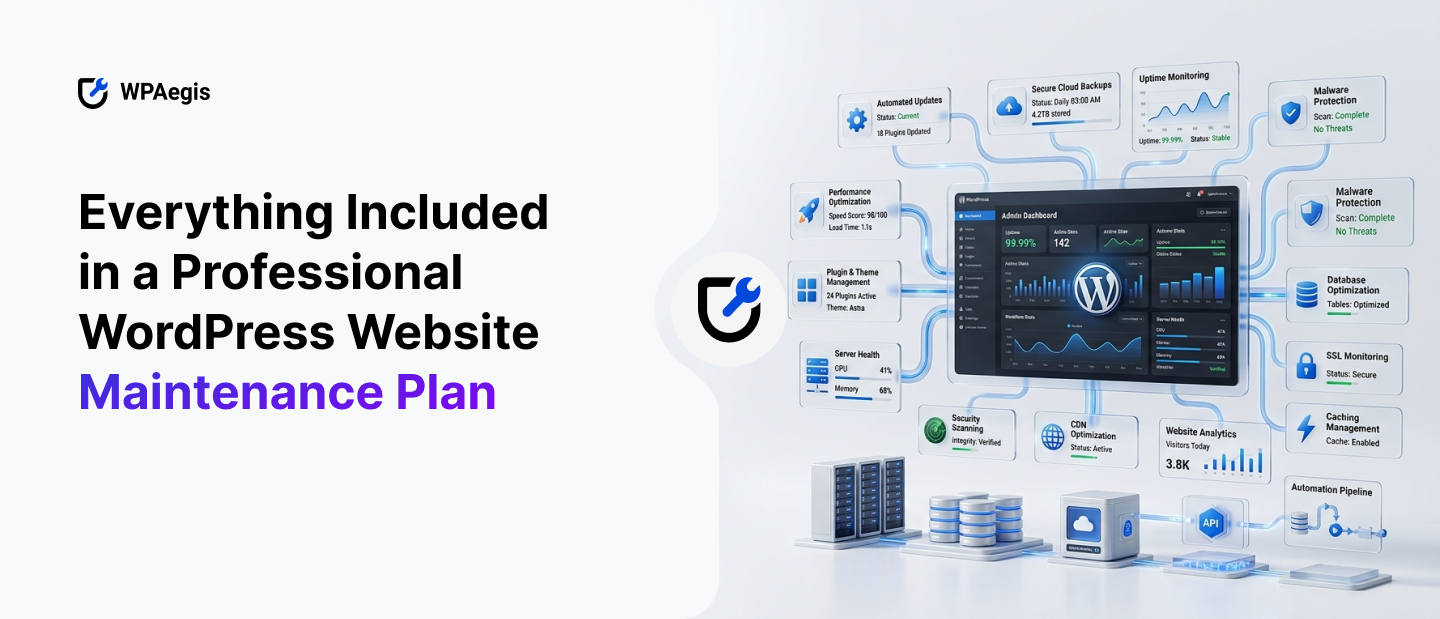
You know how it feels when you suddenly log in to your site and, because something is broken, it looks odd and lags?. It can be any issue in your WordPress, maybe a plugin update went wrong, or your homepage is suddenly crawling like it’s on dial-up.
Here’s what nobody tells you about important points when you launch a WordPress site: building it is the easy part for small business owners, but for large businesses with hundreds of products, a site needs special care. But you know what the toughest task is here? Keeping it alive, fast, and unhacked is the actual tough job.
That’s the whole point behind WordPress maintenance services, and if you’ve been putting this off, this is your sign to stop. Whether your site is for a small business or a large one, proper WordPress maintenance and support are essential to keep the website stable at all times and protect it from hacking. So let’s actually get into it. What’s supposed to be in a real website maintenance plan, and what’s just filler that some WordPress agencies throw on a pricing page to look impressive? I’ll walk you through it piece by piece, and near the end, I’ll show you exactly what we’ve built at WPAegis and why our WordPress website management services stack up better than most of what’s out there.
Why “It’s Working Fine” Doesn’t Mean Much
WordPress runs a huge chunk of the internet, nearly more than 45%, which is great, but remember that popularity attracts every bot and half-competent hacker with a scanner tool. Every plugin you install is basically a new front door if you check and install it properly with precautionary measures. Some of those doors have great locks because of built-in protection, but some don’t. And this truth came up later when something broke.
Many technical issues hide themselves as minor break until one day it becomes a huge disaster, so WordPress website maintenance services make sure the disaster never has a chance to start.
Core Updates Aren’t as Simple as Clicking “Update”
Managing Core updates isn’t just about pressing the “Update” button; it sounds like a five-second task, but in reality, it’s complex. Because core updates can affect your plugins, themes, custom code, and even third-party integrations, it requires WordPress professionals to handle all these.
Sometimes, if you update one plugin, it might be fighting with another integration or plugin, and that’s the bad luck with plugins.
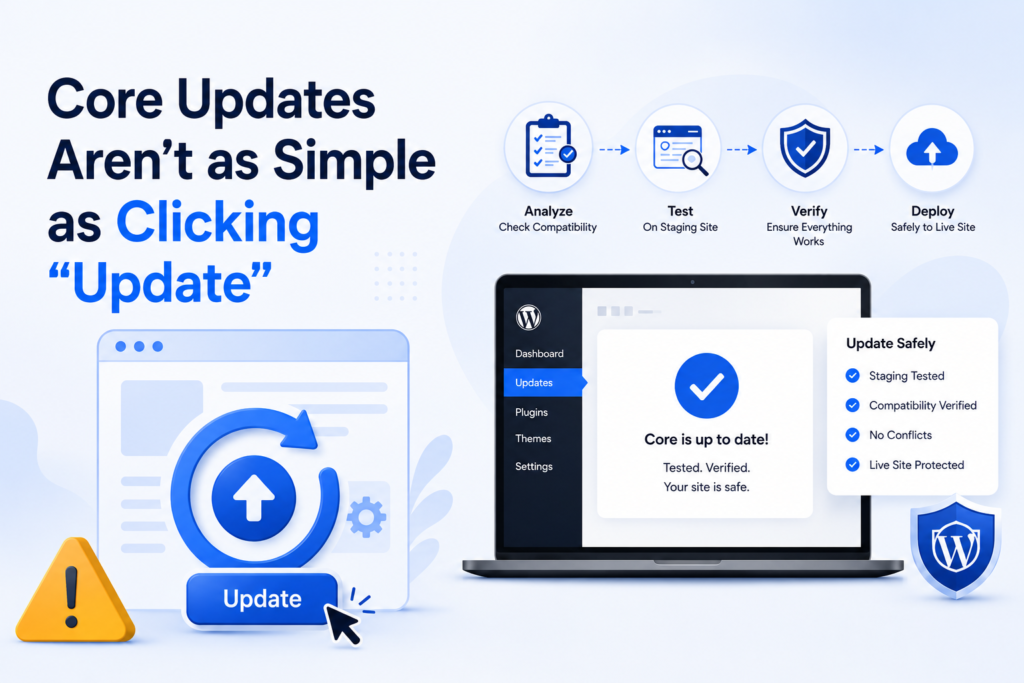
A professional WordPress website maintenance plan handles updates through a structured process: testing them first on a staging environment, and only applying changes to the live site once they behave as expected. Anyone who skips this crucial step is gambling with your business because this extra layer of surety testing helps prevent unexpected downtime and sudden breaks. It’s one of the reasons professional maintenance is far more valuable than simply clicking “Update.”
Backups: The One Thing You Never Want to Find Out You Didn’t Have
If you ask any web developer for their worst horror story, there’s a decent chance it starts with “there was no recent backup.” That’s an awful position to be in, and yet it happens all the time because people assume their host “probably” backs things up automatically, but reality is different. Sometimes they do; most often, they don’t, or the backup lives on the same compromised server as everything else.
A real WordPress website maintenance plan keeps backups off-site, fully secure, and this part gets skipped constantly, making your website restoration task more difficult.
A Must-Have Security Monitoring, Because Bots Don’t Take Days Off
Everyone thinks nobody is targeting their site because they hate your business specifically. Bots crawl the entire internet nonstop, looking for outdated plugins and weak logins.
A proper WordPress website maintenance plan includes all necessary features taken to make your site secure and free from all attacks, whether it’s malware or hacking. Then, if a threat is discovered, the WordPress professionals take action and first identify the root cause of that problem, closing the security gap, and making sure the same issue can’t happen again.
Uptime Monitoring: Because Downtime Costs Real Money
For e-commerce websites, even a handful of minutes offline can cost you sales, leads, or just your visitors’ patience. Uptime monitoring checks your site every few minutes and fires off an alert the second something goes sideways, so someone’s already working on it before you even notice, which is the good point of WordPress Website maintenance services. Without that, you find out your site’s been down for two hours because a customer emailed to complain about that.
Speed and Performance: The Difference Nobody Sees, Except Everyone Feels It
Customers and readers hate slow sites, and they shift to another fastly; nobody sticks around your slow website. A couple of extra seconds, and people bounce, and search engines factor speed directly into how they rank you.
Website performance isn’t something once you check and optimize, and then it will remain the same; instead, as your WordPress site grows, and every new plugin, uploaded image, page, and blog post adds to the workload your server has to handle. Over time, even a well-built website can become slower if it’s not maintained regularly, simply because data accumulates gradually, and proper maintenance is essential for fast loading and performance.
A professional WordPress website maintenance plan keeps performance in check through continuous optimization. This includes image compression, caching improvements, database cleanup, and routine performance reviews to eliminate unnecessary load. Rather than waiting for speed issues to affect your visitors, regular maintenance helps keep your website fast, responsive, and ready to deliver a better user experience every day.
Nobody Thinks About Database Cleanup Until It’s a Problem
Your database quietly fills up with junk over time. It’s not dramatic, but it adds up, and a bloated database drags down page speed in ways that are hard to trace back to the actual cause. Regular cleanup keeps things running the way they’re supposed to.
Your WordPress database collects unnecessary data over time, even if you don’t notice it happening. Old post revisions, spam comments, expired transients, and leftover tables from removed plugins gradually increase the database size, making it less efficient.
A professional WordPress website maintenance plan includes routine database optimization to remove this unnecessary data and keep everything organized. Regular cleanup improves how quickly your website retrieves information, supports faster page loading, and helps maintain consistent performance as your site continues to grow.
Broken Links and 404 Pages: Small Problem, Real Impact
Every broken link has a visitor who hits a dead end and just leaves. Search engines notice the pattern too, and over time, it chips away at your rankings. Comprehensive WordPress website management services include catching these before they pile up, fixing or redirecting them, rather than letting your site slowly fill up with dead ends.
Managing Plugins Like an Adult
More plugins generally mean more risk. A professional WordPress maintenance team worth paying for doesn’t just blindly update everything; they look at what’s actually still needed, flag anything abandoned by its developer, and watch for known vulnerabilities tied to specific plugin versions. This is exactly the kind of behind-the-scenes work most business owners don’t have the time, or frankly, the interest, to do themselves.
Every plugin you install becomes another piece of software that needs to be monitored. While plugins extend your website’s functionality, they can also create security gaps, slow down performance, or cause compatibility issues if they are outdated or no longer actively maintained.
That’s why a professional WordPress website maintenance plan includes routine plugin management, not just automatic updates. Experienced WordPress specialists evaluate whether each plugin is still necessary, check for developer support, monitor known vulnerabilities, and recommend safer alternatives when needed. This proactive approach keeps your website more secure, reduces unnecessary complexity, and helps maintain a stable, high-performing WordPress environment.
SEO Health Matters a Lot, Because Broken Sites Don’t Rank
A site full of broken links, sluggish load times, or indexing issues is fighting itself, no matter how good the content is. A solid WordPress website maintenance plan includes basic and advanced SEO checks, depending on the plan you select, with meta tags intact, sitemap updating properly, and nothing quietly blocking search engines from crawling your pages.
Reports You Can Actually Understand
You’re paying for this, so you should know what’s happening. Monthly reports covering updates made, threats blocked, uptime metrics, and performance changes are standard for any legitimate WordPress maintenance and support service provider.
Support When Something Actually Breaks
Even with great maintenance, stuff occasionally goes wrong. Most of the time, a third-party tool breaks, hosting hiccups, whatever. Real WordPress maintenance support means they are available at any time and detect issues before they cause a break.
Not Every Site Needs the Same Plan
A five-page local business site doesn’t need the same coverage as a WooCommerce store processing bulk orders around the clock. Every website has unique maintenance needs, which is why website maintenance plans typically come in tiers, so business owners decide which plan suits their website.
Before picking one, be honest about your traffic, how much downtime would actually cost you, and how much you want off your own plate. That’ll steer you toward the right level without overpaying for stuff you don’t need or, worse, cheaping out and leaving gaps.
What We Actually Built at WPAegis
If you’ve read this far, you already know your site needs special care by professionals to maintain a healthy stage. The only real question left is whether you keep handling it yourself as DIY maintenance, hoping nothing slips through, or hand it to a team that’s already built to catch the stuff you’d never notice until it’s too late.
Head over to our plans page, pick the tier that fits where your business actually is right now, and let WPAegis take the Still thinking about handling things yourself versus bringing in a team? We actually broke this down in detail over in Comparing DIY WordPress Care With Fully Managed Support, where we walk through what you’re really trading off: time, risk, and peace of mind, when you go one route over the other.
Alright, here’s the part most businesses need. We built three plans around what different sites actually need, and every single one includes daily automatic backups, malware scans, uptime monitoring, and vulnerability scanning- no exceptions, no upsell required- just to get the basics right at your website’s doorstep.
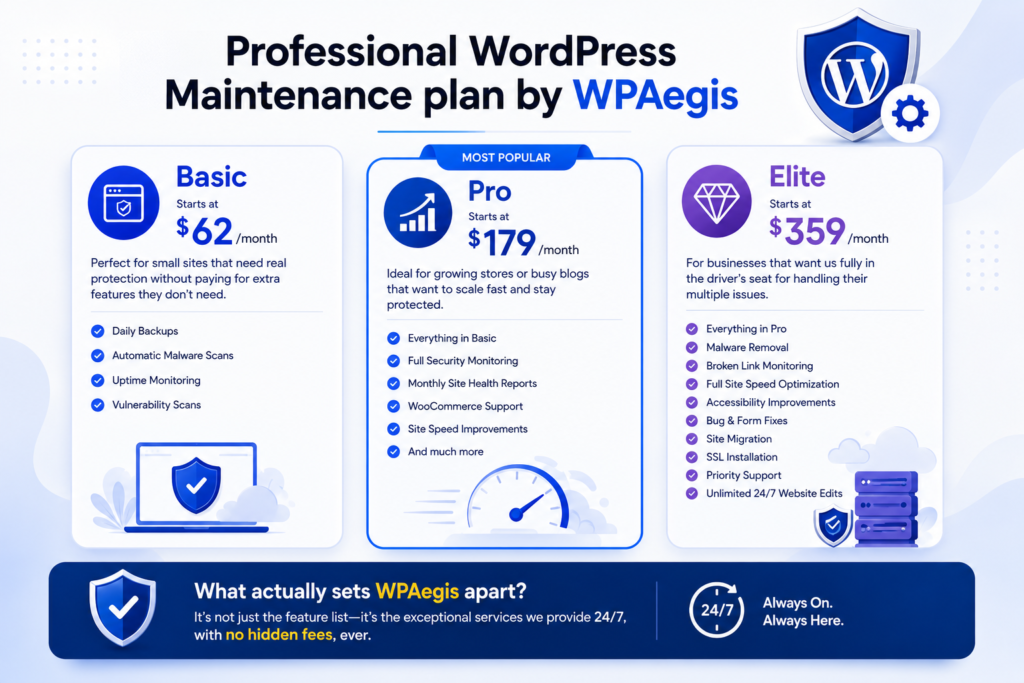
Professional WordPress Maintenance plan by WPAegis:
Basic starts at $62/month and covers the essentials properly for a small site: daily backups, automatic malware scans, uptime monitoring, and vulnerability scans, but it’s for smaller sites that need real protection without paying for extra features they don’t need.
Pro, our most popular tier at $179/month, adds full security monitoring, monthly site health reports, WooCommerce support, site speed improvements, and much more that your site actually needs to scale fast across your key pages. If you’re running a growing store or a busy blog and can’t afford surprises of anything broken and sudden downtime, this is where most of our clients land, and for good reason; it suits their business.
Elite at $359/month is the one for businesses that want us fully in the driver’s seat for handling their multiple issues. It includes everything in Pro plus malware removal, broken link monitoring, full site speed optimization, accessibility improvements, bug and form fixes, site migration, SSL installation, priority support, and genuinely unlimited 24/7 website edits.
What actually sets WPAegis apart from all other WordPress website maintenance services isn’t just the feature list; it’s the exceptional services we provide 24/7, with no hidden fees, ever.
FAQ:
Ans: Look at your traffic, how costly downtime would be for your business, and how much you want handled for you versus doing it yourself. A basic blog needs far less than a WooCommerce store processing daily orders, so match the plan to the actual stakes.
Ans: Good providers include malware removal and root-cause identification, not just detection. If removal costs extra on top of your monthly fee, read the fine print carefully, since that’s often where cheaper plans quietly cut corners.
Ans: Depends on the provider. Some cap “unlimited” at small five-minute tasks and bill separately for anything bigger. Always ask what counts as an edit before assuming your plan covers everything you might need.
Ans: Some of it, yes, but most hosts don’t include security monitoring, malware removal, or performance tuning, which is why a separate maintenance plan still matters even on managed hosting.

Leave a Reply