


Introduction
Finding straight answers about WordPress maintenance pricing online is surprisingly difficult. Most agencies either hide their prices completely or bury them behind a “contact us for a quote” button that leads nowhere fast.
So if you have been Googling “how much does WordPress maintenance cost” and getting vague, unhelpful answers, you are in the right place.
In this post, we are going to give you a completely transparent breakdown of what WordPress maintenance actually costs in 2026, what you should expect to get for your money at each price point, and how to figure out which level of care is right for your specific site.
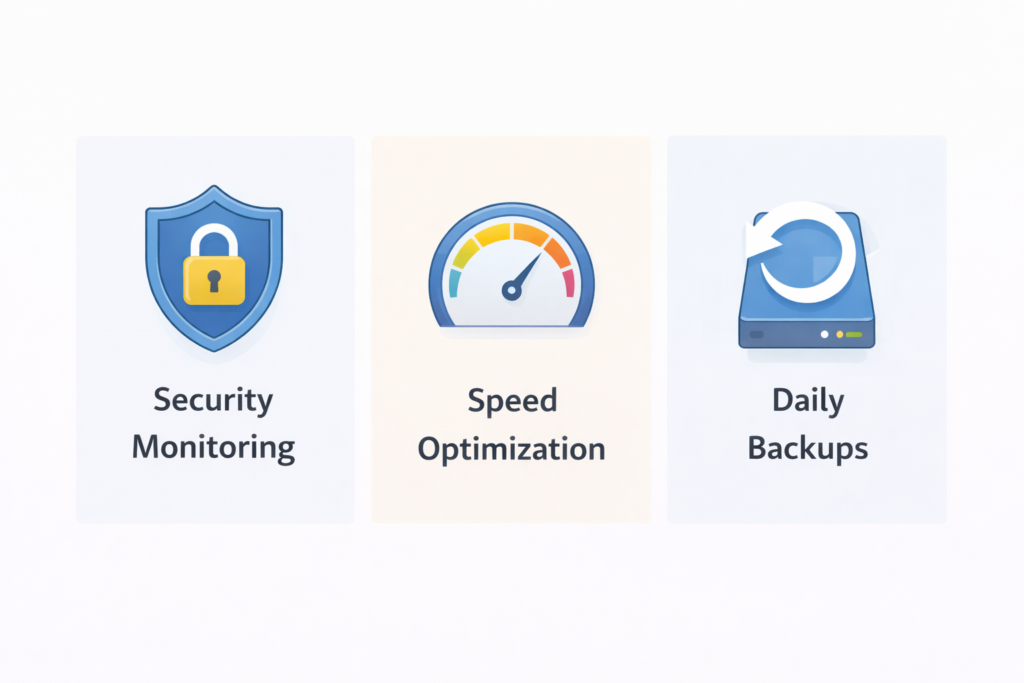
Table of Contents
- What Is WordPress Maintenance and Why Does It Matter?
- What Happens If You Skip WordPress Maintenance?
- What Is Included in a WordPress Maintenance Plan?
- WordPress Maintenance Cost Breakdown for 2026
- DIY vs Hiring a Professional: Real Cost Comparison
- What Affects the Price of WordPress Maintenance?
- WPAegis Plans Transparent Pricing for Every Stage
- Which WordPress Maintenance Plan Is Right for You?
- Is WordPress Maintenance Worth the Cost?
- FAQ
What Is WordPress Maintenance and Why Does It Matter?
Think of your WordPress website like a car. You can buy it, drive it, and enjoy it, but if you never change the oil, rotate the tyres, or service the engine, it is eventually going to break down. Usually at the worst possible moment.
WordPress maintenance is exactly that, the regular, ongoing work that keeps your website running safely, quickly, and reliably. It covers everything from updating your plugins and themes to backing up your data, scanning for security threats, monitoring your uptime, and fixing any issues before they turn into full-blown emergencies.
In 2026, WordPress maintenance matters more than ever for three specific reasons.
First, the security landscape has gotten worse. Automated bots scan millions of WordPress sites every day, looking for vulnerabilities in outdated plugins and themes. A single unpatched plugin can be the entry point for a complete site takeover.
Second, Google’s Core Web Vitals algorithm update means site performance is now a direct ranking factor. An unmaintained, slow WordPress site does not just frustrate visitors it actively gets demoted in search results.
Third, WordPress itself has become more complex. The block editor, full site editing, WooCommerce, and the growing plugin ecosystem mean there are more moving parts than ever. More moving parts means more things that can go wrong and more things that need regular attention to stay working properly.
What Happens If You Skip WordPress Maintenance?
This is the question most people do not think about until it is too late. Here is the reality of what happens to unmaintained WordPress sites over time.
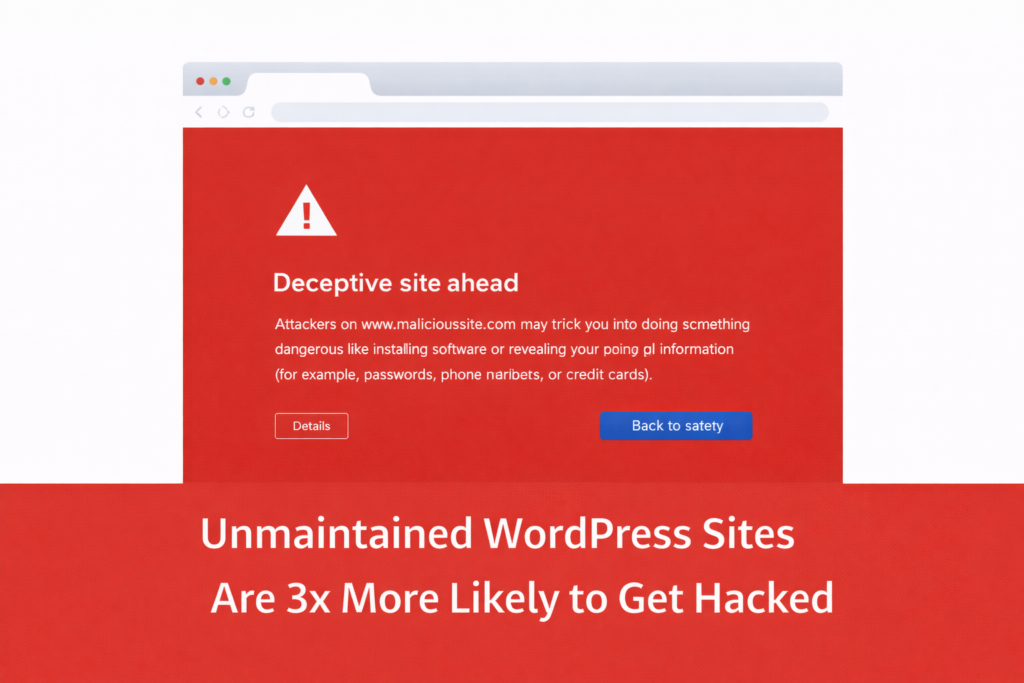
Your site gets hacked. Over 90% of hacked WordPress sites were running outdated software at the time of the attack. Outdated plugins are the number one entry point for malware. Once your site is infected, the cleanup costs significantly more than a year of maintenance would have.
Your site slows down. Without regular database cleanup, image optimization, and performance monitoring, your WordPress site gradually accumulates bloat. Pages load slower, bounce rates climb, and your Google rankings quietly drop.
Your site breaks after updates. WordPress core, themes, and plugins all release updates regularly. When these are applied without testing on an unmaintained site, compatibility conflicts can take down pages, break forms, or crash your entire site at once.
You lose data. Without regular off-site backups, a server failure, accidental deletion, or malware attack can mean permanent, unrecoverable data loss. No backup equals no safety net.
The cost of fixing any one of these situations, a hack cleanup, an emergency site restore, or a critical bug fix, typically runs anywhere from $200 to $2,000 or more, depending on severity. A maintenance plan costs a fraction of that, every month, with none of the emergency stress.
What Is Included in a WordPress Maintenance Plan?
Before we talk about pricing, it helps to understand what you are actually paying for. A solid WordPress maintenance plan should cover all of the following:
Core Updates: Regular updates to WordPress core, all installed plugins, and your active theme. These should be done carefully and tested, not blindly automated.
Daily Backups: Automatic daily backups stored in secure off-site locations. If anything goes wrong, you can restore your site to a clean version within minutes.
Security Monitoring: Continuous scanning for malware, suspicious activity, unauthorized logins, and known vulnerabilities. Threats should be flagged and addressed before they cause damage.
Uptime Monitoring: Real-time alerts if your site goes down so it can be restored as quickly as possible, rather than sitting offline for hours without anyone noticing.
Performance Monitoring: Checking your site speed and Core Web Vitals scores and making optimizations to keep load times fast.
Vulnerability Scans: Regular checks against known WordPress security databases to identify plugins or themes with reported vulnerabilities before attackers exploit them.
Activity Logs A complete record of every change made to your WordPress site, who made it, and when, so problems can be traced and reversed quickly.
Reporting Monthly or regular reports showing what was done, what was found, and the current health status of your site.
Support Access to a real team who can answer questions, fix issues, and help when something goes wrong.
Premium tier plans typically add things like malware removal, WooCommerce support, site migration, SSL certificate management, full site speed optimization, broken link monitoring, and priority support response times.
WordPress Maintenance Cost Breakdown for 2026:
WordPress maintenance pricing in 2026 ranges widely depending on who you hire, what is included, and whether you are working with an individual freelancer, a small agency, or a dedicated WordPress maintenance service. Here is an honest breakdown of the market.
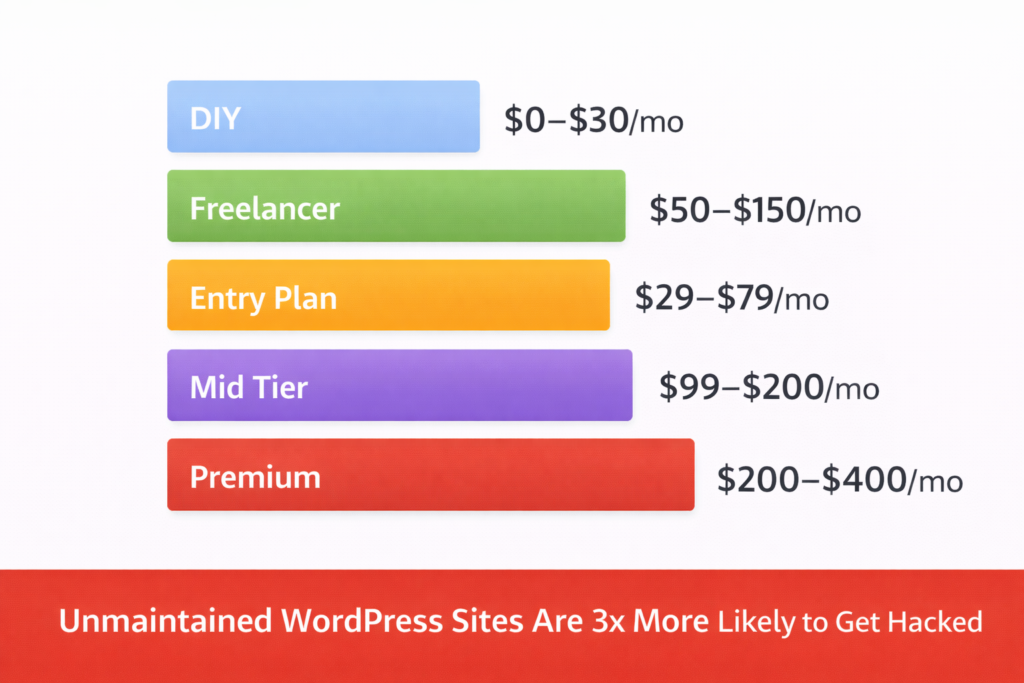
DIY Maintenance (Tools Only) — $0 to $30/month:
Technically, you can maintain a WordPress site yourself for very little money using free tools like Wordfence for security, UpdraftPlus for backups, and WP-Optimize for database cleanup. The tool costs are minimal.
What this option costs you is time. Properly maintaining a WordPress site yourself takes 2 to 4 hours per month at minimum — and that assumes nothing goes wrong. Most business owners who try to do this themselves either do it inconsistently, skip critical steps, or spend hours troubleshooting problems that a professional would resolve in minutes.
Freelance WordPress Maintenance — $50 to $150/month:
Hiring a freelance WordPress developer for basic monthly maintenance is an option many small site owners explore. Pricing on platforms like Upwork or Fiverr ranges from $50 to $150 per month for basic update and backup services.
The challenge here is consistency and accountability. Freelancers have multiple clients, variable availability, and no formal service level agreements. When your site gets hacked at 11 pm on a Friday, a freelancer may not be available for days.
Entry-Level WordPress Care Plans — $29 to $79/month:
Dedicated WordPress maintenance services at the entry level typically start around $29 to $79 per month. At this price point, you should expect daily backups, automated malware scans, core and plugin updates, and uptime monitoring. This is solid basic coverage for simple brochure websites, personal blogs, and small business sites that do not handle online transactions.
Mid-Tier WordPress Care Plans — $99 to $200/month:
Mid-tier plans typically add security monitoring, monthly health reports, WooCommerce support, site speed improvements, and on-demand support ticketing. This is the sweet spot for growing businesses, active blogs, and eCommerce stores where the site is a meaningful revenue driver.
Premium WordPress Care Plans — $200 to $400+/month:
At the premium level, you get the full package, everything in lower tiers, plus malware removal included, full site speed optimization, SSL certificate management, site migration support, broken link monitoring, bot protection reports, priority support, unlimited website edits, and accessibility improvements. This tier is designed for businesses where the website is mission-critical, and any downtime or security issue has immediate financial consequences.
Agency or Enterprise Maintenance — $500 to $2,000+/month:
Large agencies managing complex multi-site WordPress installations, high-traffic eCommerce platforms, or enterprise-level sites typically charge $500 to $2,000 or more per month. These engagements usually include dedicated account managers, custom SLAs, and bespoke development support alongside maintenance.
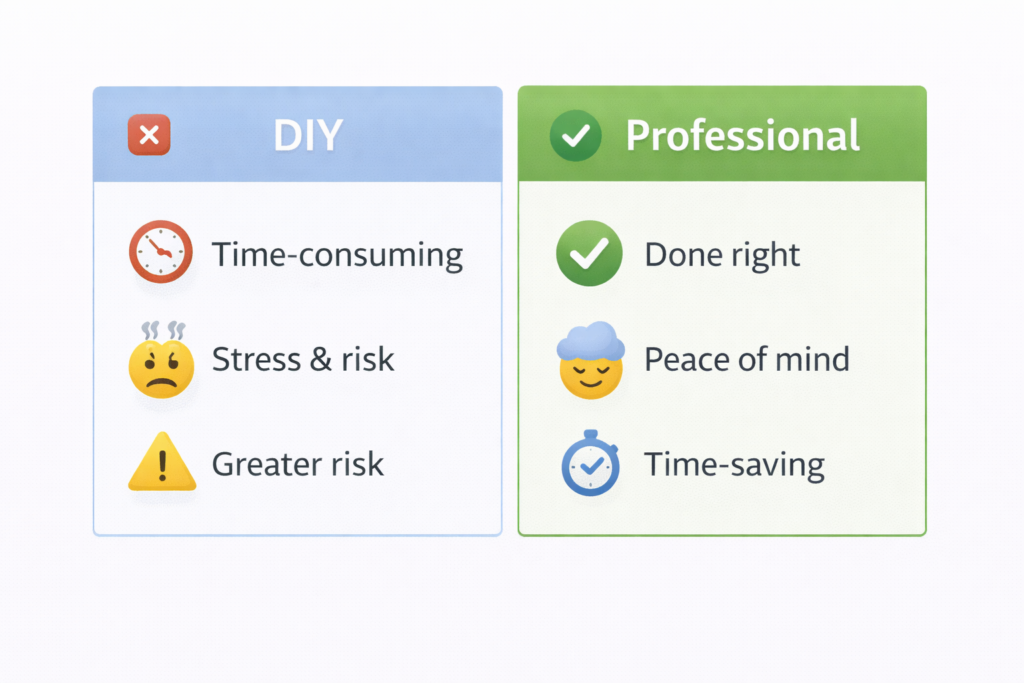
DIY vs Hiring a Professional: Real Cost Comparison
A lot of site owners hesitate to pay for a maintenance plan because they feel like they can handle it themselves. Let us actually run the numbers on that.
| Cost Factor | DIY | Professional Plan |
|---|---|---|
| Monthly tool costs | $10 to $30 | Included |
| Time per month | 3 to 5 hours | 0 hours |
| Your hourly value | $50/hr minimum | — |
| Real monthly cost | $160 to $280 | $62 to $359 |
| Emergency hack cleanup | $300 to $2,000 extra | Included or discounted |
| Peace of mind | Low | High |
When you factor in the value of your own time, doing it yourself is almost never actually cheaper. And that calculation does not include the cost of an emergency cleanup if something goes wrong on your watch.
What Affects the Price of WordPress Maintenance?
Not all WordPress sites are equal, and the cost of maintaining them varies based on several real factors.
Site complexity: A simple five-page brochure site costs less to maintain than a 200-page WooCommerce store with custom integrations, subscription plugins, and a membership system.
Number of plugins: More plugins mean more updates to manage, more potential conflicts to test, and more attack surface to monitor.
Traffic volume: High-traffic sites need more robust backup schedules, more performance attention, and faster incident response times.
eCommerce functionality Sites processing payments have additional compliance, security, and uptime requirements that increase maintenance complexity.
Frequency of content updates. Sites that publish new content regularly need more frequent database optimization, broken link checks, and staging environment testing.
Level of support required: Basic automated maintenance costs less than plans that include a real human being you can email or message when something is wrong.
WPAegis Plans Transparent Pricing at Every Stage:
At WPAegis, we believe in showing you exactly what you are getting before you commit to anything. Here is a clear breakdown of our three WordPress maintenance plans and what each one includes.
Basic Plan — $62/month:
Our Basic plan is designed for smaller sites that need solid foundational protection without complexity. It is a great starting point for personal sites, small business websites, and blogs that are not yet generating significant revenue.
What is included:
- Daily automatic backups are stored securely off-site
- Automatic malware scans every 24 hours
- Uptime monitoring with alerts
- Vulnerability scans
- WordPress core, theme, and plugin updates
- Performance and security reports
- Activity logs
- Google Analytics integration
Pro Plan — $179/month:
Our Pro plan is built for growing businesses, active blogs, and WooCommerce stores where the website is a real revenue driver. This is our most popular plan and the one we recommend for most established business sites.
What is included in Basic plus:
- Advanced security monitoring
- Monthly site health reports
- WooCommerce support
- Site speed improvements on up to 5 pages
- On-demand support via ticketing system
- Bot protection reporting
Elite Plan — $359/month
Our Elite plan is for businesses where the website is mission-critical. If your site going down for even a few hours costs you real money, this is the plan you want. It is also the right choice for sites that have previously experienced security issues and want comprehensive ongoing protection.
What is included in Pro plus:
- Full malware removal included
- Full site speed improvements across all pages
- Broken link monitoring and reporting
- SSL certificate installation and management
- Site migration
- Priority support response
- 24/7 unlimited website edits
- Accessibility improvements
- Fix form errors and bugs
You can compare all three plans side by side on our WordPress Care Plans page.
Which WordPress Maintenance Plan Is Right for You?
Not sure which plan fits your situation? Here is a simple way to think about it.
Choose the Basic plan if:
- You run a personal blog, portfolio, or small informational website
- Your site does not process payments or store sensitive customer data
- You are on a tight budget but want reliable backups and security scanning
- You are comfortable handling minor issues yourself if they arise
Choose the Pro plan if:
- You run an active business website or WooCommerce store
- Your site generates leads or revenue, and downtime costs you money
- You want monthly reporting and access to support when things go wrong
- Your site gets regular traffic, and you care about speed and performance
Choose the Elite plan if:
- Your website is your primary business channel
- You want malware removal, SSL management, and site migration all handled for you
- You need priority support and unlimited website edits
- You have had security issues in the past and want the most comprehensive protection available
- You run a high-traffic site where performance and uptime are non-negotiable
Not sure which one fits? Contact our team, and we will give you an honest recommendation based on your specific site, no sales pressure, just straightforward advice.
Is WordPress Maintenance Worth the Cost?
Here is the straight answer: yes, for virtually every WordPress site that matters to your business or income.
Think about what your website actually represents. It is your digital storefront. It is where potential customers find you, form their first impression of your brand, and decide whether to get in touch or buy from you. It runs 24 hours a day, 7 days a week, whether you are watching it or not.
The average WordPress maintenance plan costs less per day than a cup of coffee. The average cost of recovering from a hacked WordPress site, including cleanup, lost traffic, damaged reputation, and potential data breach notifications, runs into hundreds or thousands of dollars.
The math is not complicated.
Beyond the risk calculation, there is also the value of your time. Every hour you spend manually updating plugins, monitoring for threats, or troubleshooting a broken site is an hour you are not spending on the work that actually grows your business. For most business owners, that trade-off makes professional WordPress maintenance one of the most sensible investments they can make.
If your WordPress site helps you make money directly or indirectly, protecting it with a professional maintenance plan is not an expense. It is an investment in keeping that income stream open and flowing reliably.
FAQ:
Basic WordPress maintenance from a dedicated service typically costs between $29 and $79 per month for foundational coverage, including backups, malware scans, and plugin updates. At WPAegis, our Basic plan starts at $62 per month and includes daily backups, automatic malware scans, uptime monitoring, and vulnerability reports.
On the surface, it looks cheaper, but when you factor in the value of your own time, the cost of the tools you need, and the risk of an expensive emergency cleanup if something goes wrong, DIY maintenance usually costs more in the long run. Most business owners find professional maintenance saves both money and stress.
It depends on the plan. Our Elite plan includes full malware removal as part of the service. Our Basic and Pro plans include malware scanning and early threat detection, catching issues before they become full infections. If a hack does occur on a lower-tier plan, our Malware Removal Service is available as a standalone service.
Response times depend on your plan tier. Elite plan clients receive priority support with the fastest response times. Pro plan clients have access to our ticketing system with dedicated support. All clients are covered by 24/7 uptime monitoring, so we know the moment your site has a problem, often before you do.
Ready to stop worrying about your WordPress site and start focusing on your business? Explore our WordPress Care Plans — transparent pricing, no contracts, and a team that genuinely cares about keeping your site running at its best.
Not sure which plan is right for you? Request a free site audit and we will give you an honest assessment of what your site actually needs.



Leave a Reply