


Introduction:
Discovering that your WordPress website has been hacked is one of the most stressful things a site owner can go through. Your rankings drop overnight, visitors see scary warnings in their browser, your hosting company suspends your account, and you have no idea where to even begin.
The truth is WordPress malware infections are far more common than most people realize. Because WordPress powers over 43% of all websites on the internet, it is the number one target for hackers, bots, and automated attack scripts running around the clock.
The good news? Malware can be removed. Your site can be fully recovered. And with the right steps in place, you can make sure it never happens again
Table of Contents:
- How to Know If Your WordPress Site Has Malware
- Step 1 — Don’t Panic: Do This First
- Step 2 — Back Up Your Infected Site
- Step 3 — Scan Your WordPress Site for Malware
- Step 4 — Remove the Malware (Manual + Plugin Methods)
- Step 5 — Clean Your WordPress Database
- Step 6 — Remove Backdoors Hackers Left Behind
- Step 7 — Restore and Harden Your WordPress Site
- Step 8 — Submit Your Site for Google Review
- How to Prevent WordPress Malware in the Future
- FAQ
How to Know If Your WordPress Site Has Malware:
Before you can fix the problem you need to confirm there actually is one. WordPress malware does not always announce itself loudly. Sometimes the signs are subtle and easy to miss until the damage is already serious.
Here are the most common warning signs that your WordPress site has been infected:
Obvious signs:
- Google Chrome shows a red “Deceptive Site Ahead” warning when visitors try to open your site
- Your hosting company has suspended your account and sent you a malware notice
- Google Search Console has sent you a security alert about your site
- Your site is being redirected to a spam, gambling, or pharma website
- Visitors are reporting they are seeing popups or ads that you never added
Subtle signs:
- Your site suddenly became very slow for no clear reason
- You notice new admin users in WordPress that you did not create
- Pages or posts appear in Google that you never published often in foreign languages
- Your server CPU and memory usage spiked without any increase in traffic
- You find strange files or folders in your WordPress directory that were not there before
If any of these sound familiar, your site very likely has a malware infection and you need to act quickly. The longer malware sits on your server, the more damage it does both to your site and to your SEO rankings.
Step 1-Don’t Panic: Do This First:
The first thing most panicked site owners do is start deleting files or making random changes. This often makes the situation worse and can destroy evidence you need to diagnose the infection properly.
Here is what to do immediately:
Put your site in maintenance mode. This prevents visitors from landing on an infected page while you clean things up. You can use a plugin like WP Maintenance Mode or simply ask your host to temporarily take the site offline.
Change all passwords right now. Change your WordPress admin password, your hosting control panel password, your FTP/SFTP password, and your database password. Do this before anything else. If the hacker still has valid credentials, cleaning your site will be pointless because they will just re-infect it.
Notify your hosting company. Most good hosting providers have a security team that can help identify infected files. They may also have server-level logs that show exactly how the attacker got in.
Do not restore from a backup yet. Many people jump straight to restoring an old backup but if you do not know when the infection happened, you might restore a backup that is already infected
Important: If you are not comfortable handling this yourself, this is the right moment to hand it over to professionals. Our WordPress Malware Removal Service at WPAegis handles complete site cleanups with a guarantee so you can skip the stress entirely.
Step 2- Back Up Your Infected Site:
This sounds counterintuitive. Why would you back up a site that is already infected?
Because you need a snapshot of the current state of your files and database before you start making changes. If something goes wrong during the cleanup process, having that backup means you can always go back to where you started rather than ending up with a completely broken site.
Use your hosting control panel (cPanel, Plesk, or your host’s dashboard) to create a full backup files and database together. Store it somewhere safe and label it clearly as “infected backup — do not restore without scanning.”
If you are already a WPAegis client, your Daily Backup Service means we already have recent clean copies of your site stored securely so recovery becomes much faster and simpler.
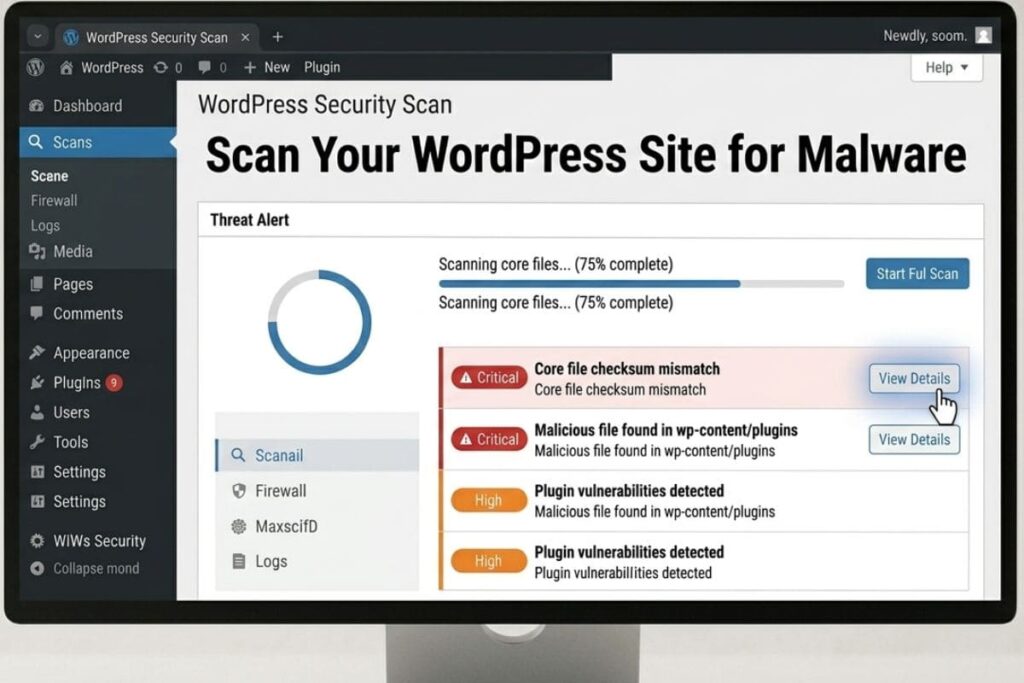
Step 3 – Scan Your WordPress Site for Malware:
Now it is time to actually find out where the malware is hiding. There are two ways to do this using a plugin scanner, or using a remote scanner. For best results, use both.
Option 1 – Wordfence Security (Plugin Scanner)
Wordfence is one of the most trusted free WordPress security plugins. After installing and activating it, run a full scan from the Wordfence dashboard. It compares every file in your WordPress installation against the official WordPress repository and flags anything that has been modified, added, or injected with malicious code.
Visit Wordfence Security to get started with the free version.
Option 2 – Sucuri SiteCheck (Remote Scanner)
Sucuri’s free online scanner at sitecheck.sucuri.net checks your site from the outside the same way a visitor or Google would see it. It scans for blacklisted domains, malicious redirects, injected spam content, and known malware signatures. This is great for spotting front-end infections that plugin scanners sometimes miss.
Option 3 – Manual File Inspection
If you are comfortable with FTP or your hosting file manager, you can manually look through your WordPress files for suspicious code. Common places malware hides include:
- The wp-content/uploads folder (malware often hides executable PHP files here)
- The wp-config.php file (hackers frequently inject code at the top or bottom)
- Your theme’s functions.php file
- Any recently modified files sort by “date modified” in your FTP client to find files changed around the time of infection
Step 4 -Remove the Malware:
Once you have identified where the malware is, it is time to remove it. You have two main approaches using a plugin to clean it automatically, or doing it manually.
Method 1 – Automatic Removal with a Security Plugin
If Wordfence or another scanner has flagged specific files, most premium security plugins give you a one-click option to repair or delete infected files. Wordfence Premium, Sucuri, and MalCare all offer automatic malware removal as part of their paid plans.
This is the fastest and safest option for non-technical users.
Method 2 – Manual Removal
For those comfortable working with files, here is the manual process:
Re-install WordPress core files. Go to WordPress.org and download a fresh copy of WordPress. Replace your wp-admin and wp-includes folders entirely these should never contain custom code, so replacing them is completely safe and removes any malware hiding in core files.
Re-install your theme and plugins from scratch. Delete your current theme and all plugins, then reinstall clean versions from WordPress.org or from the original developer. Never reinstall from the same source — always get a fresh download.
Manually clean functions.php and wp-config.php. Open these files in a text editor and look for anything suspicious long strings of encoded characters (often base64 encoded), eval() function calls, unusual iframe tags, or code that was not there when you originally set up the site. Remove anything that looks out of place.
Step 5 – Clean Your WordPress Database:
Many WordPress malware infections do not just live in files they also inject malicious code directly into your database. This is how spammy links, hidden redirects, and pharma hack content get embedded into your posts and pages.
Here is how to clean your WordPress database:
Use the Search-Replace-DB tool to search your database for common malware signatures like suspicious JavaScript injections, hidden links, or spam keywords injected into your content.
Check the wp_options table. Hackers frequently use the options table to store malicious settings, spam URLs, and rogue cron jobs. Look for unfamiliar entries especially in the siteurl, home, and active_plugins rows.
Check the wp_users table. Look for admin accounts you did not create and delete them immediately.
Remove malicious scheduled tasks. Some malware creates WordPress cron jobs to re-infect your site automatically. Use the WP Crontrol plugin to view and delete any suspicious scheduled tasks.
Step 6 – Remove Backdoors Hackers Left Behind:
This step is one that most DIY malware cleanups miss and it is the reason sites get re-infected within days or weeks of being cleaned.
A backdoor is a hidden piece of code that lets a hacker re-enter your site even after you have changed all your passwords and removed the obvious malware. Hackers deliberately design backdoors to be hard to find. They often disguise them as legitimate plugin or theme files
Common places backdoors hide:
- Inside image files in wp-content/uploads (PHP code injected into .jpg files)
- In fake plugin folders with names that look legitimate (for example “wordpress-support” or “wp-helper”)
- At the very top or bottom of legitimate plugin files
- In hidden files starting with a dot like .htaccess injections
Search your files for these common backdoor functions: eval(), base64_decode(), gzinflate(), str_rot13(), and preg_replace() with the /e modifier. Treat any file containing combinations of these — especially when obfuscated — with suspicion.
If this sounds overwhelming, this is exactly what our team handles with our WordPress Security Monitoring service ongoing scanning that catches backdoors and threats before they cause damage.
Step 7 – Restore and Harden Your WordPress Site:
With the malware removed and backdoors eliminated, now it is time to lock your site down so this does not happen again.
Update absolutely everything. WordPress core, every plugin, and your theme all of it needs to be on the latest version right now. The majority of WordPress hacks happen through known vulnerabilities in outdated software.
Delete themes and plugins you are not using. Inactive plugins still pose a security risk. If it is not active and you do not need it, delete it completely.
Install a security plugin and firewall. Wordfence, Sucuri, or iThemes Security all provide a web application firewall (WAF) that blocks malicious traffic before it reaches your WordPress site.
Change your secret keys in wp-config.php. Go to api.wordpress.org/secret-key/1.1/salt to generate a fresh set of secret keys and replace the old ones in your wp-config.php file. This immediately invalidates all existing login sessions including any the attacker may still have open.
Limit login attempts. By default WordPress allows unlimited login attempts. A brute force attack can try thousands of password combinations per minute. Install Limit Login Attempts Reloaded or enable this feature through your security plugin.
Set correct file permissions. Your WordPress files should be set to 644 and directories to 755. Your wp-config.php file should be 600. Incorrect permissions make it easier for attackers to write malicious files to your server.
Step 8 – Submit Your Site for Google Review:
If Google had already flagged your site in Search Console or shown a “Deceptive Site Ahead” browser warning, you need to formally request a review once your site is clean.
Here is how to do it:
- Log into Google Search Console at search.google.com/search-console
- Go to the Security Issues section in the left sidebar
- Review the specific issues Google flagged
- Once your site is fully clean, click “Request a Review”
- Explain the steps you took to clean the site and prevent re-infection
- Google typically completes the review within 1 to 3 days for straightforward cases
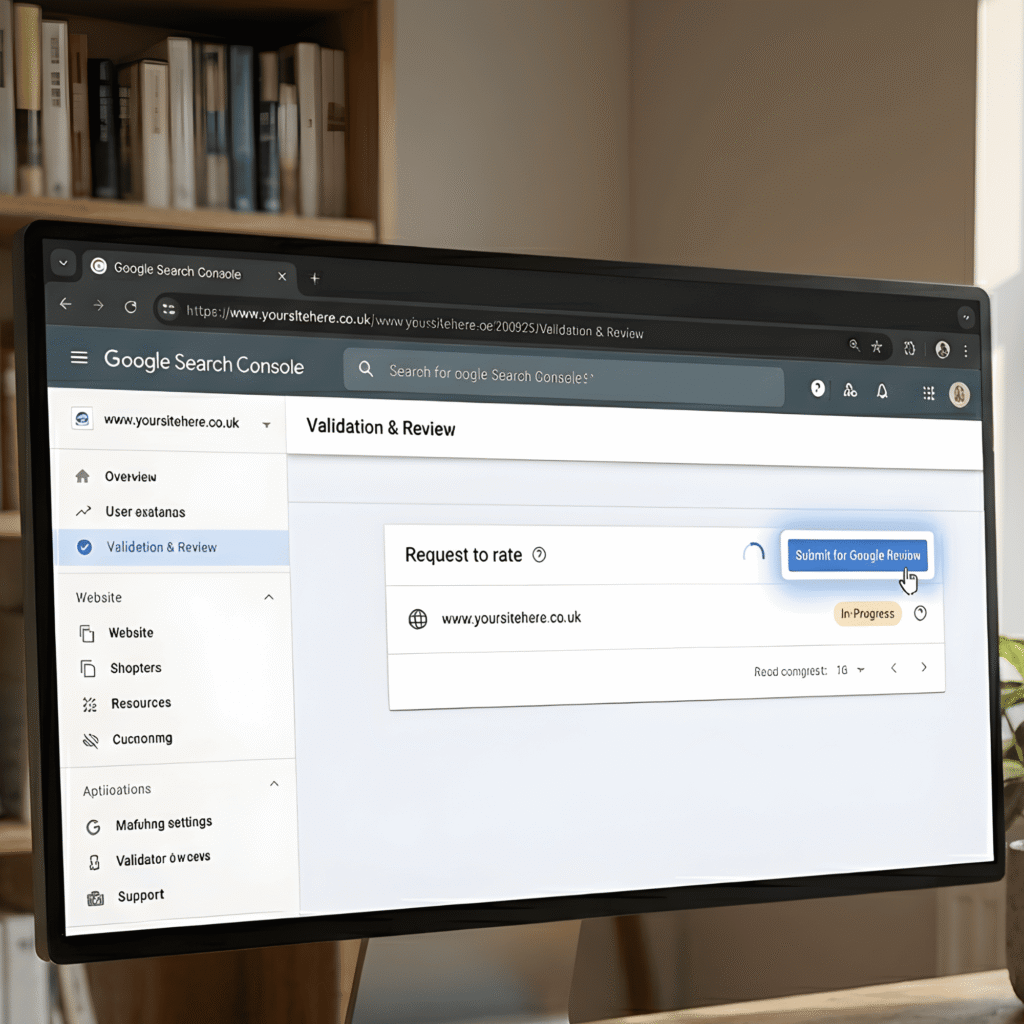
While you wait, monitor your site in Search Console daily. Once Google confirms your site is clean, the browser warning will be removed and any manual action penalty will be lifted.
How to Prevent WordPress Malware in the Future:
Getting your site clean is only half the job. Keeping it clean is what really matters in the long run. Here are the most important preventive measures every WordPress site owner should have in place:
Keep everything updated. Outdated plugins and themes are the number one entry point for WordPress malware. Update them as soon as new versions are released do not wait weeks.
Use strong, unique passwords. Every user account on your WordPress site should have a strong password. Use a password manager like Bitwarden or 1Password. Never reuse passwords across different sites or services.
Enable two-factor authentication (2FA). Even if a hacker gets your password, 2FA means they still cannot log in without access to your phone or authentication app. Wordfence, WP 2FA, and Google Authenticator all provide this for free.
Take daily backups and store them offsite. If the worst happens, a recent clean backup is your fastest path to recovery. Make sure backups are stored somewhere separate from your hosting account so if your server is compromised, your backups are safe.
Scan your site regularly. Automated weekly or daily security scans catch malware early before it has time to spread, damage your rankings, or harm your visitors.
Choose quality hosting. Budget shared hosting often means shared servers with hundreds of other sites if one of them gets infected, yours can too. Good hosting providers include server-level firewalls, malware scanning, and automatic isolation of infected accounts.
If managing all of this on your own feels like too much to keep on top of it honestly is, for most busy site owners. That is exactly why services like WPAegis exist. Our team monitors, scans, updates, and protects your WordPress site around the clock so you never have to deal with a malware situation like this again.
FAQ:
Hackers often leave telltale signs: Google flags your site with a ‘Deceptive Site Ahead’ warning, your site redirects visitors to spam pages, your host suspends your account, unexpected admin users appear in WordPress, and your site suddenly slows to a crawl. Google Search Console will also send you a security alert if it detects malware.
A plugin-based cleanup can take 1 to 2 hours. A full manual cleanup including backdoor removal, database cleaning, and security hardening typically takes 3 to 6 hours depending on how deeply the site is infected.
Yes, but it takes time. Once Google reviews your clean site and removes the security warning, your rankings will begin to recover. Sites that were penalized for a short time usually recover within 2 to 4 weeks. Sites that were infected for months may take longer to fully recover in search.
Attackers most commonly get in through outdated plugins or themes with known security vulnerabilities, weak admin passwords they crack through brute force attacks, nulled (pirated) plugins and themes that come with malware pre-installed, compromised FTP or hosting credentials, and insecure shared hosting environments.
Keep WordPress, plugins, and themes updated at all times. Use strong unique passwords and enable two-factor authentication. Install a web application firewall. Take daily backups. And consider a managed WordPress maintenance plan that includes ongoing security monitoring and malware scanning.
Dealing with a hacked WordPress site right now? Our team at WPAegis offers professional WordPress Malware Removal with a thorough cleanup guarantee. We handle everything so you can get back to running your business.
Want to make sure this never happens again? Explore our WordPress Care Plans starting from $62/month with 24/7 security monitoring, daily backups, and proactive malware scanning included.



Leave a Reply