


Introduction:
You’re having a good traffic day. If your WordPress site keeps going down, you’re not alone, and it’s usually fixable. Maybe a newsletter just went out. Maybe someone shared your post, and it started gaining traction. You go to check, and nothing except a blank screen with an error message. The worst part isn’t the crash itself. It’s not knowing how long it’s been sitting there, broken, while real visitors came and went without a word.
WordPress powers over 43% of the web. When you build and maintain it properly, it’s rock-solid. Recurring WordPress downtime almost always comes from short-term reasons, but none of them are mysterious, and every single one is fixable.
Table of Contents
- Introduction
- What You’re Really Losing Every Time Your Site Goes Down
- The 6 Reasons Your WordPress Site Keeps Going Down
3.1 Why does your WordPress site keep going down on shared hosting
3.2 Why does your WordPress site keep going down after plugin updates - 3.3 PHP Memory Limit Exhausted
3.4 Database Connection Errors
3.5 Expired SSL Certificate Issues
3.6 Corrupted .htaccess File - How to Prevent a WordPress Site That Keeps Going Down
5.1 Set Up Monitoring to Stop Your WordPress Site from Going Down
5.2 Store Backups Off-Site
5.3 Use a Staging Environment
5.4 Keep your database lean
5.5 Use Cloudflare When Your WordPress Site Keeps Going Down - When Optimization is not Enough
- FAQ
What You’re Really Losing Every Time It Goes Down:
Most people treat downtime like a minor inconvenience. It’s not.
While your site is offline, your paid ad campaigns continue to run. Every click is costing you money, sending visitors to a page that returns an error. Your email subscribers click through your latest campaign and hit a 500 error instead of your content.
Search engines are watching, too. Google’s crawlers don’t send warning emails when they start finding errors on your site. They just quietly start treating it as unreliable. Your rankings soften gradually over weeks.
Then there’s the trust factor. Visitors might excuse one broken visit. Two, and most people write you off entirely once they’re gone, they’ll just never come back.
If you’ve never really calculated what downtime is costing you, it’s worth taking a look at our WordPress maintenance cost to see what proper protection actually looks like.
The 6 Reasons Your WordPress Site Keeps Going Down:
1. Why does your WordPress site keep going down on shared hosting?
Shared hosting is built for low-traffic websites. When your traffic grows, or even holds steady at a moderate volume, your site starts losing that competition.
The result: requests time out, pages won’t load, and visitors hit 503 errors or blank screens while you’re staring at a dashboard that won’t respond.
Many site owners try to solve this by adjusting WordPress settings, but that’s the wrong direction. The problem isn’t inside WordPress; it’s the physical server your site lives on.
The right move is upgrading to a VPS or managed WordPress hosting.

2. Why does your WordPress site keep going down after plugin updates?
WordPress plugins get updated constantly and sometimes multiple times a week. When that happens, the result is a fatal error. Visitors see a white screen or a generic 500 error.
A quick way to rule out plugin conflicts is to disable them at the file level. Log in to your site via FTP or your web host’s file management tool, locate /wp-content/plugins/, and rename that folder to something like /wp-content/plugins-deactivated/. With the plugins unavailable, WordPress won’t load them, allowing you to test whether the issue persists.
This disables every plugin in one step. If the site loads after that, a plugin is your culprit. Rename the folder back, then deactivate plugins one at a time from the admin panel until the crash returns.
3. PHP Memory Has Hit Its Limit:
WordPress runs on PHP, and PHP needs server memory to process every page request. Most shared hosting accounts set a default limit of 64MB to 128MB.
For a simple blog, 128MB is more than enough. Add WooCommerce, a page builder like Elementor, an SEO plugin, a caching plugin, a forms plugin, and a few others, and that limit disappears fast. The fix is straightforward. Open your wp-config.php file and add:
define(‘WP_MEMORY_LIMIT’, ‘256M’); Some hosts lock memory allocation at the server level and won’t allow wp-config.php to override it. In that case, contact their support team and ask for an increase directly.
4. WordPress Lost Its Database Connection:
WordPress requires a live connection to its MySQL database to load any page, frontend or backend. When that connection breaks, the site goes completely blank.
Most commonly, the database credentials in wp-config.php are wrong, typically after a host migration or server-side account change, where passwords were reset. Check DB_NAME, DB_USER, DB_PASSWORD, and DB_HOST against what your hosting dashboard shows for your account.
If the credentials are correct, the database itself may have become corrupted. Add define(‘WP_ALLOW_REPAIR’, true); to wp-config.php temporarily, visit yourdomain.com/wp-admin/maint/repair.php, run the repair, then remove that line.
If neither solves it, the database server may simply be overloaded. On shared hosting, the database server is shared, too. When it gets maxed out, connections time out. That’s a host-side problem; get on their support chat.
5. Your SSL Certificate Expired Without Anyone Noticing:
When an SSL certificate lapses, browsers display a security warning of “Not Secure” and visitors leave. Check your certificate expiration date in your hosting dashboard. If you’re using Let’s Encrypt (which most hosts include for free), confirm auto-renewal is active.
If you’re seeing a redirect loop after an SSL issue, check two places: your WordPress Address and Site Address settings under Settings > General, and your .htaccess file for redirect rules left behind by plugins or manual edits that may conflict with your current certificate setup.
6. Your .htaccess File Got Corrupted:
Your .htaccess file is small but powerful; it controls how your server handles incoming requests, including redirects, permalink structure, caching rules, and security configurations. Multiple plugins write to it regularly: SEO plugins, caching plugins, security plugins. When one writes something malformed, the server throws a 500 Internal Server Error.
Fix: Connect through FTP or the built-in file manager from your host. Navigate to the top-level WordPress directory, where you’ll see .htaccess. Right-click and rename it to .htaccess_old, effectively disabling it so you can check whether a faulty rule was causing the issue.
If the site loads after that, the file was your problem. Go to Settings > Permalinks in your WordPress dashboard and save without changing anything. WordPress will automatically regenerate a clean .htaccess. If you can’t access the dashboard, create a blank .htaccess and paste in the standard WordPress default rules manually.
How to Prevent a WordPress Site That Keeps Going Down:
Fixing crashes after the fact is damage control. The goal is to build a setup where problems get caught early or don’t happen at all.
Set Up Monitoring to Stop Your WordPress Site from Going Down:
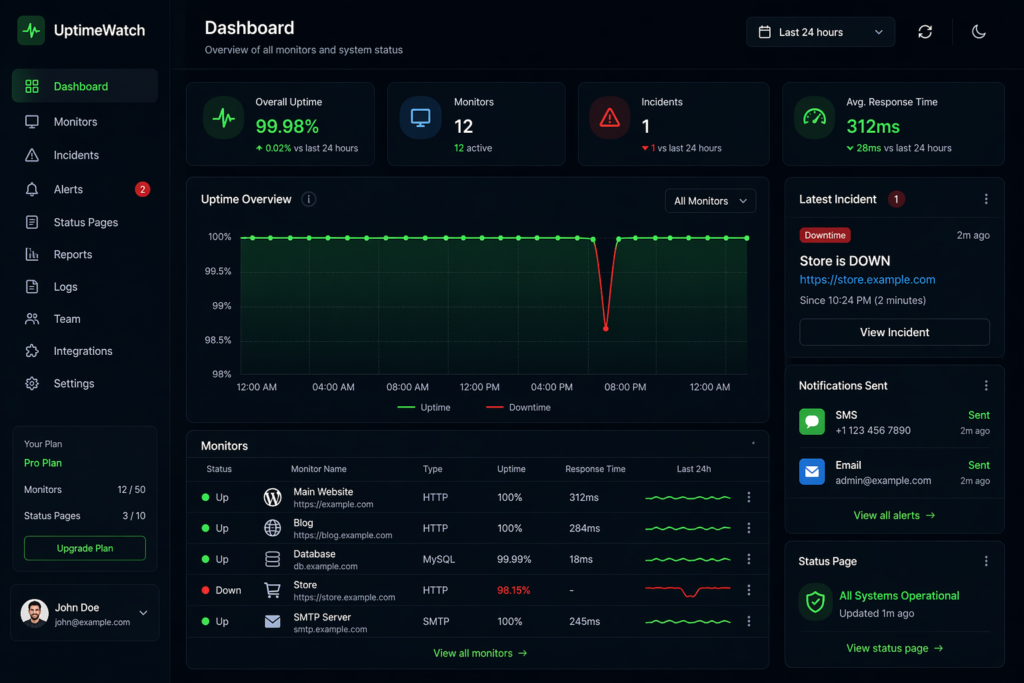
UptimeRobot checks your site every five minutes on its free tier and sends an email the moment your site stops responding. Better Uptime and StatusCake offer similar coverage with SMS alerts. You should always know about downtime before your customers do.
Use a staging environment for updates:
If something goes wrong at the server level, those backups may be unavailable too. UpdraftPlus and Jetpack Backup both automatically push daily backups to Google Drive, Dropbox, or Amazon S3. Set it once and stop worrying about it.
Use a staging environment for updates:
A staging site is a private copy of your live site where you can safely test plugins, themes, and core updates before they go live. Most managed WordPress hosts include one-click staging. If yours doesn’t, that’s a real gap in what they’re offering.
Keep your database lean:
WordPress saves every post revision by default. Combine that with spam comments, expired transients, and old draft data, and your database becomes heavy over time. Slow queries mean slower pages and more server strain. WP-Optimize runs automatic cleanups on a schedule without any manual work.
Use Cloudflare When Your WordPress Site Keeps Going Down:
Cloudflare’s free plan routes your traffic through a global network that caches static content and absorbs traffic spikes. When your origin server has a hiccup, Cloudflare can often continue serving cached pages to visitors in the meantime.
When Optimization Isn’t Enough Anymore:
Managed WordPress hosting from providers like WP Engine, Kinsta, or Rocket.net handles caching, server management, security, updates, and performance at the infrastructure level. But if your site generates any meaningful business clients, leads, or sales, the cost difference stops being a meaningful comparison the moment you calculate what each outage was actually costing you.
The real comparison isn’t between cheap and expensive hosting. It’s cheap hosting plus recurring downtime, wasted ad spend, lost rankings, and hours of your time, versus a platform that simply stays up.
If you’d rather not deal with these issues yourself, you can explore our WordPress maintenance services and have everything handled for you.
The Cycle That Keeps Most Site Owners Stuck:
A plugin crashes the site. They disable it and move on without understanding why. The hosting plan gets maxed out. They clothe the cache, things stabilize briefly, and they forget about it. The SSL expires. They renew it manually and never check whether auto-renewal is actually configured.
Then the same three problems resurface three months later.
The WordPress sites that stay consistently available aren’t running on expensive enterprise infrastructure or magic configurations. They’re running on a few boring, reliable habits: uptime monitoring, off-site backups, hosting that matches the traffic load, and a site owner who checks the health dashboard occasionally.
The difference between a site that goes down constantly and one that shrugs off traffic spikes and plugin updates is rarely technical complexity. It’s usually just whether someone took an afternoon to put the right systems in place.
Start with your hosting. Get monitoring running. Put your backups somewhere safe. After that, most problems either stop occurring entirely or get caught quietly before anyone else ever notices.
FAQ:
The self-managed math looks clean on paper, cheap hosting plus a few free plugins versus a care plan fee. But that calculation leaves out everything that doesn’t appear on an invoice: the three hours you spent troubleshooting a crash on a Tuesday afternoon, the ad budget that kept running while your landing page was returning errors, the WooCommerce orders that didn’t come through during a database outage, the ranking positions that drifted down after two weeks of intermittent availability issues. Once your site is actively involved in generating revenue or client relationships, the real question isn’t what professional maintenance costs per month. It’s what one genuinely bad week of downtime costs you, and whether that number is higher than the annual plan you’ve been putting off.
The timing of the crashes usually tells the story before you open a single file. If your site handles quiet periods without complaint but starts breaking when traffic picks up, or specifically fails during heavier actions like processing a form, running a WooCommerce checkout, or loading a page-builder heavy template, that’s a memory ceiling being hit, not a broken file. The site isn’t corrupted; it just ran out of processing room halfway through a task. Adding a single line to wp-config.php bumps the limit up, though fair warning: some hosts control this at the server level and you’ll need to ask them directly to raise it.
Google crawls busy sites multiple times daily, so if your site is throwing errors every time they show up over several days, it starts affecting how they view your reliability. The bigger threat isn’t one dramatic crash, it’s a string of smaller outages nobody bothered fixing properly, each one chipping away a little more.
Can one plugin update genuinely crash an entire website?
It can, and honestly, it happens far more than plugin developers want to talk about publicly. Your WordPress setup isn’t just a collection of independent tools; every plugin you run is interacting with the others in ways that even experienced developers can’t fully predict. When an update changes how a plugin handles something that three other plugins also depend on, the whole thing can fall apart instantly. It’s a solvable problem once you know which plugin is responsible, but finding that out when you can’t access your own site is a special kind of frustrating.

Leave a Reply